
INLINKS – OUTLINKS TAB.
Analysing the internal and external links of every web page to manage internal Link Score.
What you’ll find in SEO Spider’s Inlinks and Outlinks tabs: where a URL’s links come from and where they lead, with anchor text, follow attributes, path and position on the page.
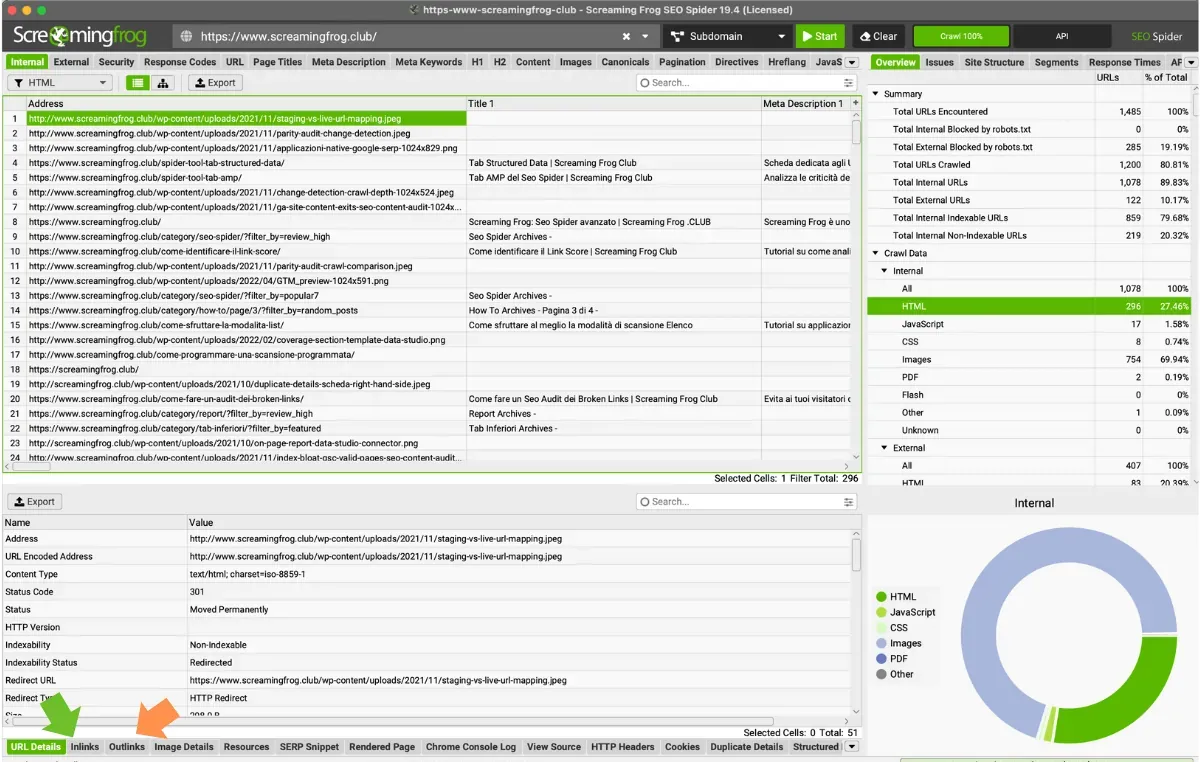
Inlinks tab
The “Inlinks” tab contains the full list of internal links pointing to the analysed URL. Like the other bottom tabs, it is populated once you select one or more URLs in SEO Spider’s top window.
- Type: the type of crawled link (hyperlink, JavaScript, CSS, image and so on).
- From: the URL of the page the link comes from.
- To: the destination of the link in the “From” (source) column, which is the URL selected in the top window.
- Anchor Text: the anchor text of the link, if any.
- Alt Text: the alt attribute, if present.
- Follow: a Boolean value, ‘True’ if the link is followed or ‘False’ if it carries a ‘nofollow’, ‘UGC’ or ‘sponsored’ attribute.
- Target: the target attributes, such as _blank, _self, _parent.
- Rel: the attributes behind the “Follow” column, returning ‘nofollow’, ‘sponsored’ or ‘ugc’.
- Path Type: whether the link is absolute, protocol-relative, root-relative or path-relative.
- Link Path: the XPath of the element, showing where the link sits on the page.
- Link Position: where the link sits in the HTML (Head, Nav, Footer and so on), which helps with checks and optimisation.
Outlinks
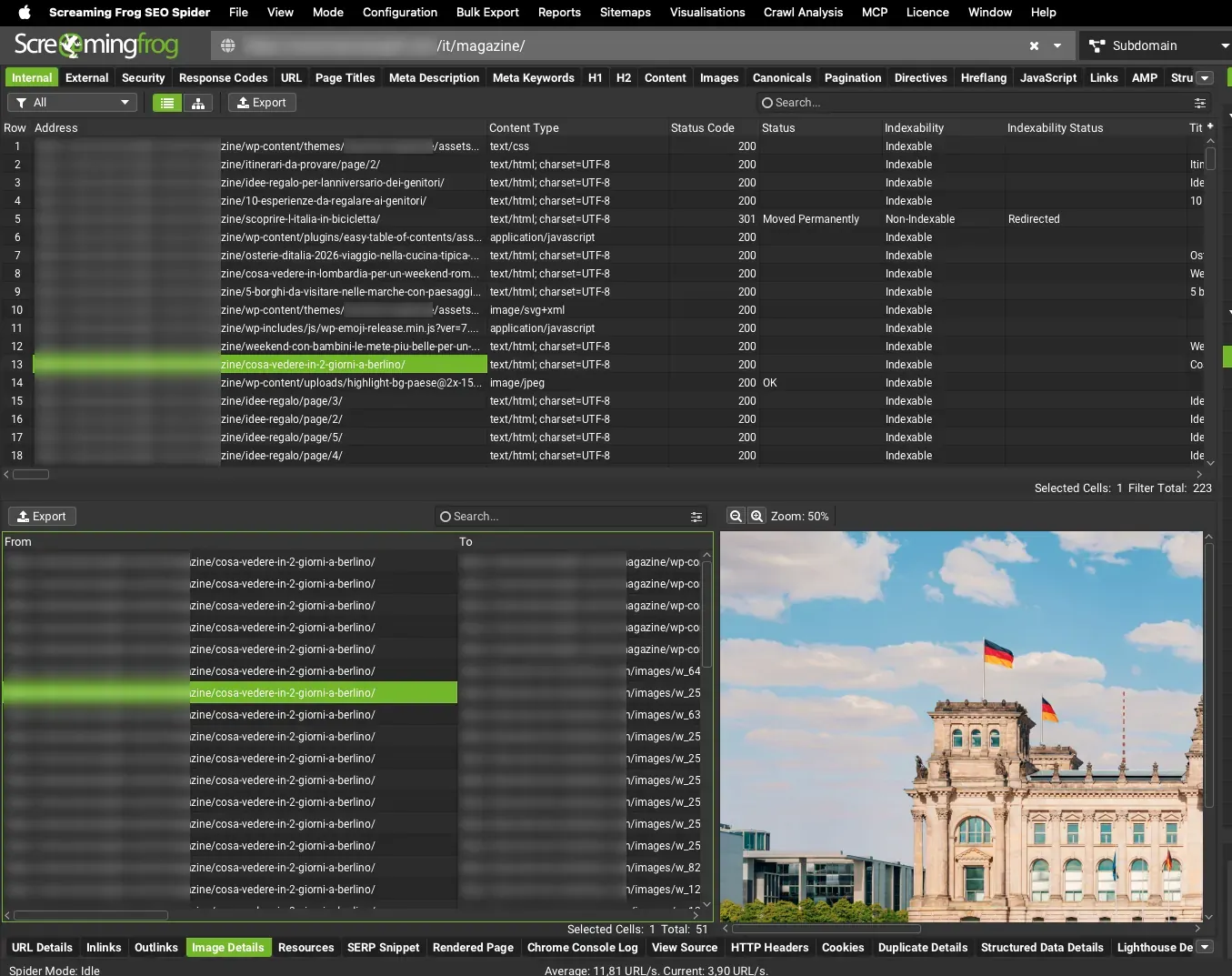
This tab lists the links whose source is the URL selected in the top window and which point to other pages of the site or to external domains.
Its columns follow the same logic as the “Inlinks” tab, the only difference being that “From” and “To” are reversed.
Questions about INLINKS – OUTLINKS TAB?
These guides come from real projects. If something in your crawl doesn’t add up, or you want to apply this process to your site, get in touch.
 Author.Raffaele Visintin.Search & Strategic Marketing Advisor
