

Crawling Subfolders.
Learn how to analyse a specific subfolder for a focused, efficient SEO audit.
Guide contents 4 sections
●Brief01.Crawl subfolder02.URLs outside the subfolder03.Subfolders with the Include featureHow to limit SEO Spider’s crawl to a single subfolder, for example a site’s blog. See why URLs outside the folder also show up and how to handle them with the Check Links Outside of Start Folder option.
Crawl subfolder
By default SEO Spider crawls the whole root domain or subdomain, but sometimes, to save time or to focus on one area, you only need to crawl part of a website. Let’s see how to crawl a specific subfolder.
Example: you want to analyse the errors and issues only in a site’s magazine, meaning the URLs starting with https://www.example.com**/magazine/**.
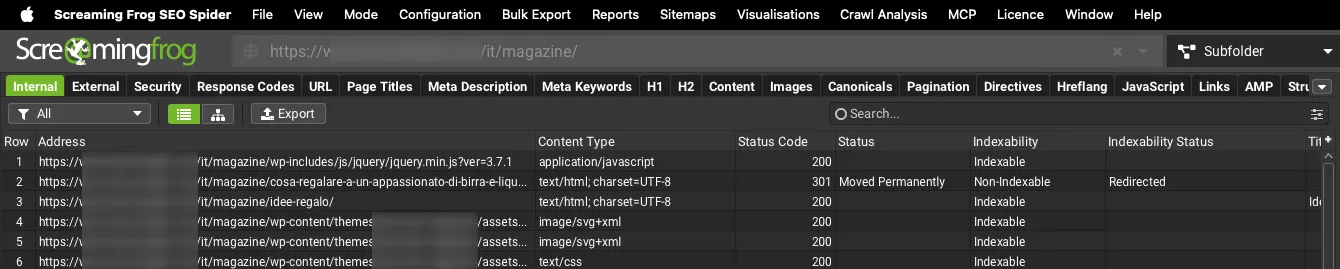
For this partial crawl, just enter the subfolder URL, start SEO Spider and let the crawl finish. The main window will show the subfolder’s URLs with their filters and metrics.
URLs outside the subfolder
As you’ll notice in your tests, besides the subfolder URLs you’ll also see other URLs that don’t belong to the area you restricted the crawl to.
This isn’t a bug but a feature of SEO Spider: the crawler focuses on the subfolder first, but it also checks every link going out from it and shows you the data of the linked URLs.
This is vital for a more accurate analysis and helps you find broken links from the subfolder to other URLs. The option that controls it is:
1Configuration›2Spider›3Crawl›4Check Links Outside of Start FolderNote: SEO Spider only recognises a subfolder written as “../foldername**/**”: if you forget the trailing slash, Screaming Frog won’t treat it as a folder. The same happens when the version with the trailing slash redirects to the version without it.
Subfolders with the Include feature
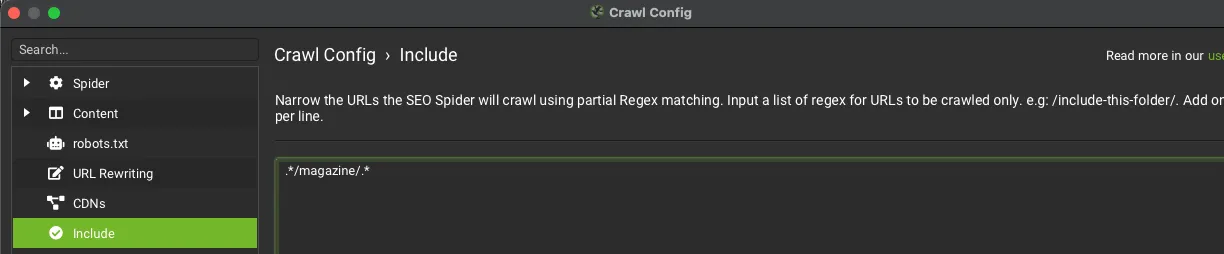
Another way to crawl a subfolder is the Include feature, which uses regex rules.
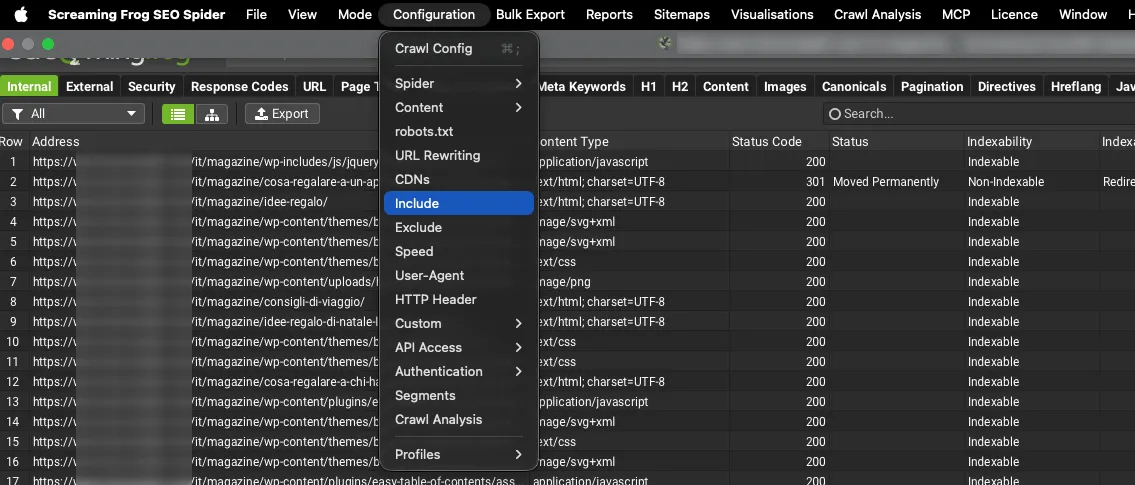
Go to 1Configuration›2Include and enter the regex .*/magazine.*.
Questions about Crawling Subfolders?
These guides come from real projects. If something in your crawl doesn’t add up, or you want to apply this process to your site, get in touch.
 Author.Raffaele Visintin.Search & Strategic Marketing Advisor