

Screaming Frog Version 20.
Discover what’s new in Screaming Frog version 20
What’s new in SEO Spider version 20 ("Cracker"): custom JavaScript snippets, crawling with ChatGPT, mobile usability, N-gram analysis, aggregated anchor text and local Lighthouse.
Version 20 – Cracker
Version 20.2, called “Cracker”, is an exceptional major update to SEO Spider, with new AI-related features, internal linking improvements, N-gram analysis and much more, which I’ll cover in the following sections.
Custom JavaScript snippets
From this version you can run custom JavaScript during the crawl. This means you can manipulate pages or extract data, as well as talk to OpenAI’s ChatGPT API, local LLMs or other libraries.
To use the feature, go to 1Configuration›2Custom›3Custom JavaScript and click Add to set up your custom JS snippet, or choose “Add from Library” to pick one of the very useful preset snippets prepared by the Screaming Frog team.
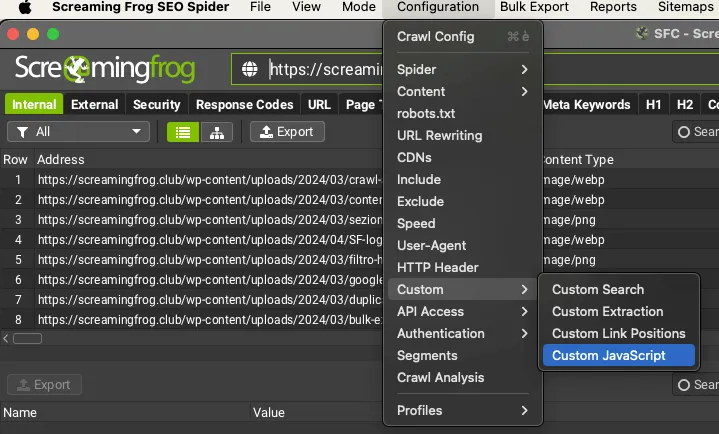
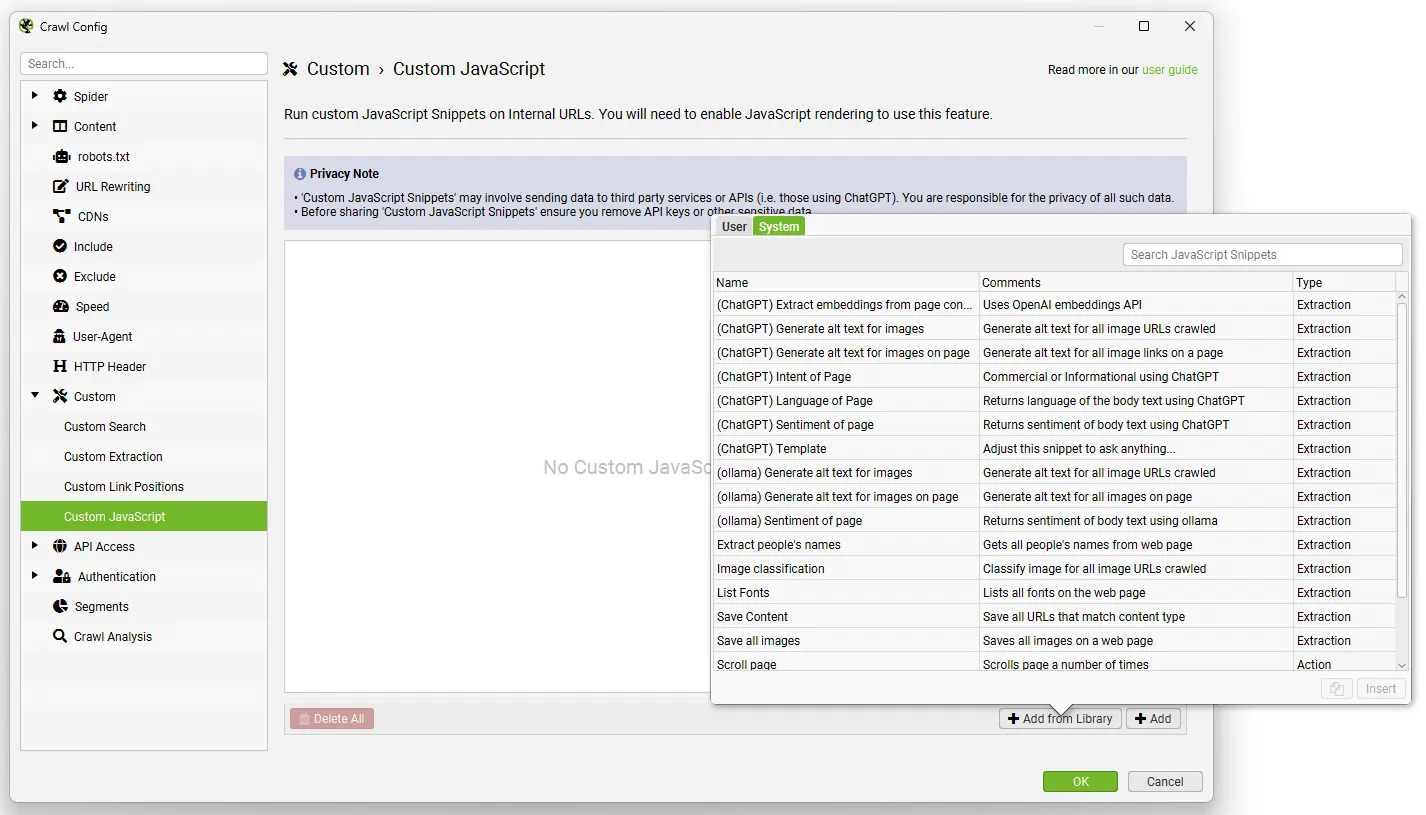
To use this feature you need to set “JavaScript Rendering” mode in 1Configuration›2Spider›3Rendering before crawling, and you’ll find the results in the new Custom JavaScript tab.
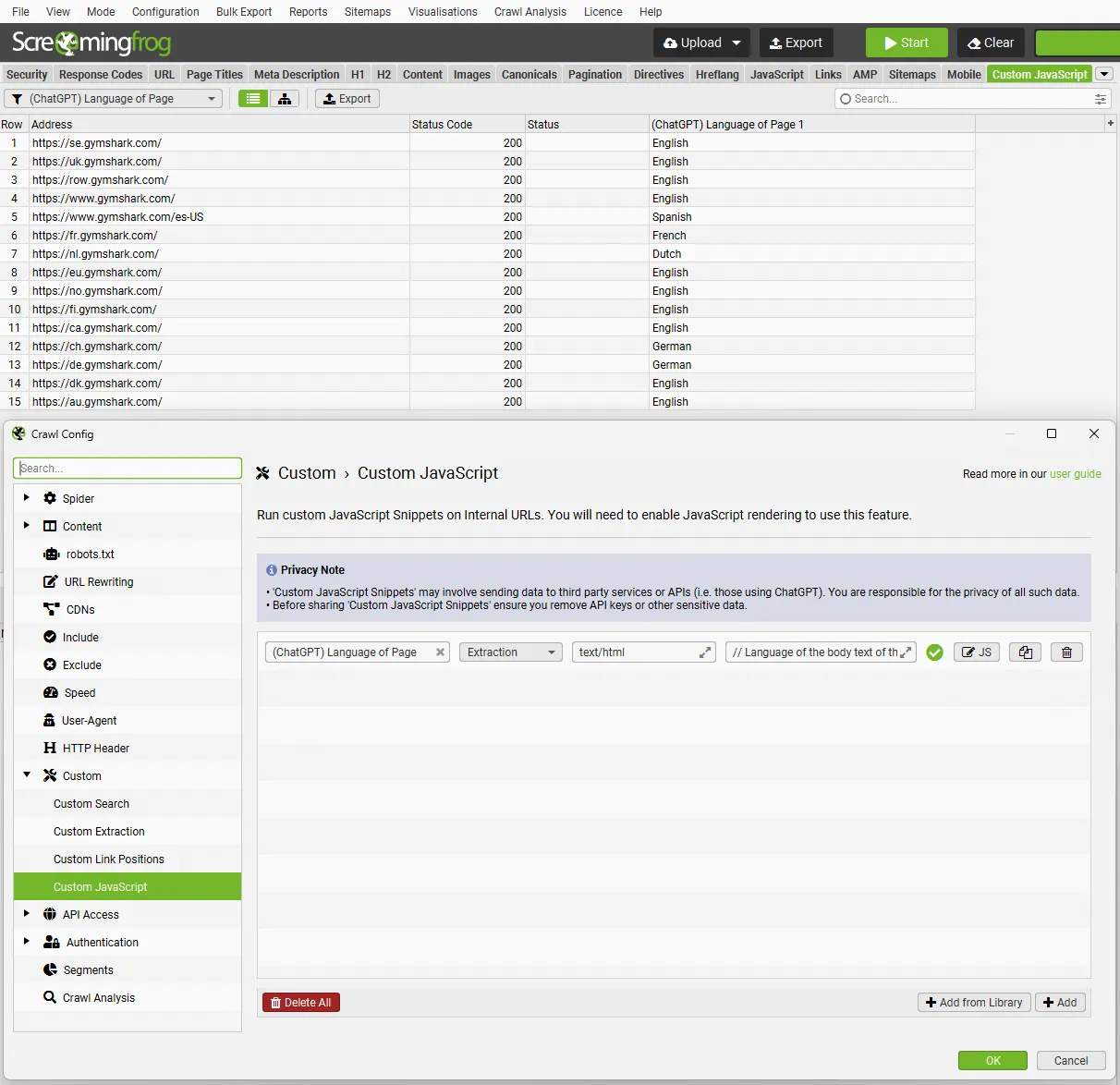
Crawling with ChatGPT
Among the new custom JS options you can select the “Template (ChatGPT)” snippet, open it in the JavaScript editor, add your OpenAI API key and write the prompt to ask anything you want about a page during the crawl.
At the top of each template there’s a comment explaining how to adjust the snippet. You can also debug it in the JavaScript editor dialog on the right before crawling.
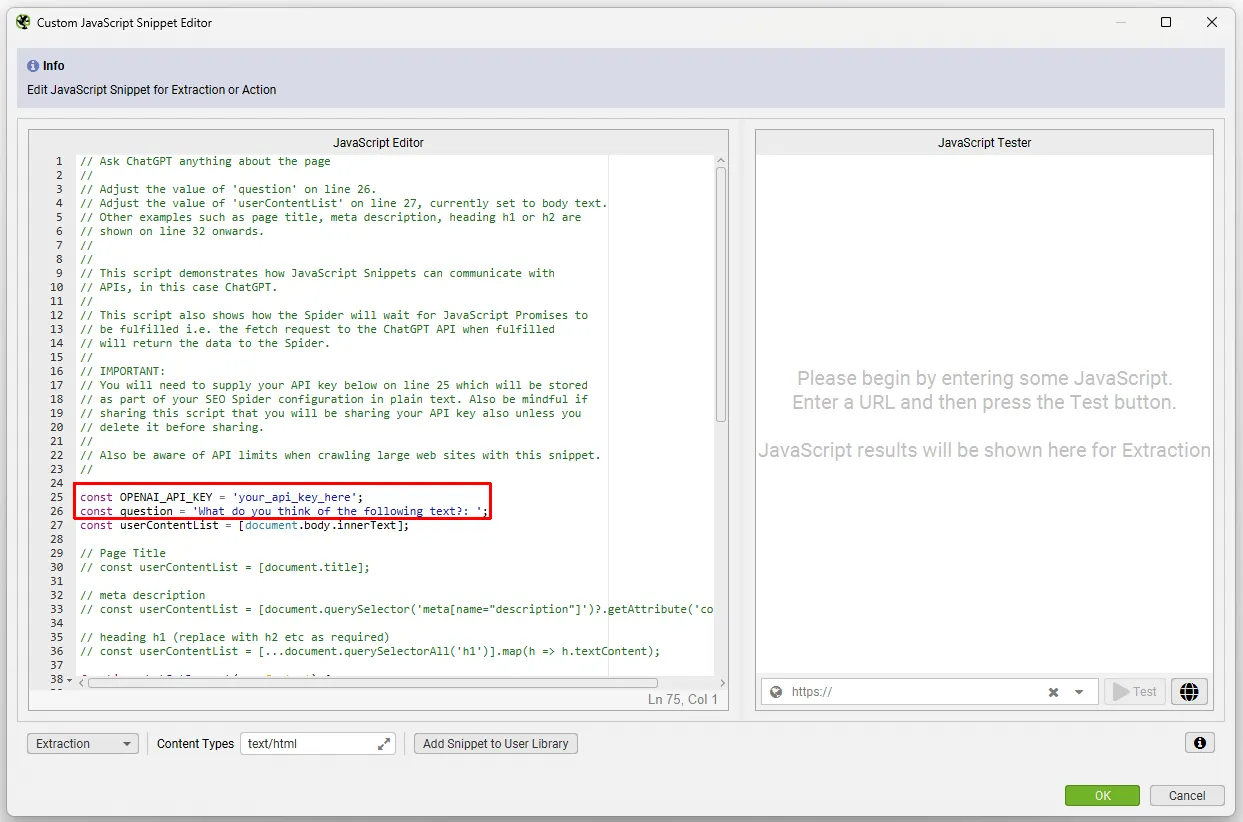
This feature is hugely versatile: you can adjust the OpenAI model used, the specific content analysed and more. It can help you with quite detailed tasks, such as generating alt text for images on the fly.
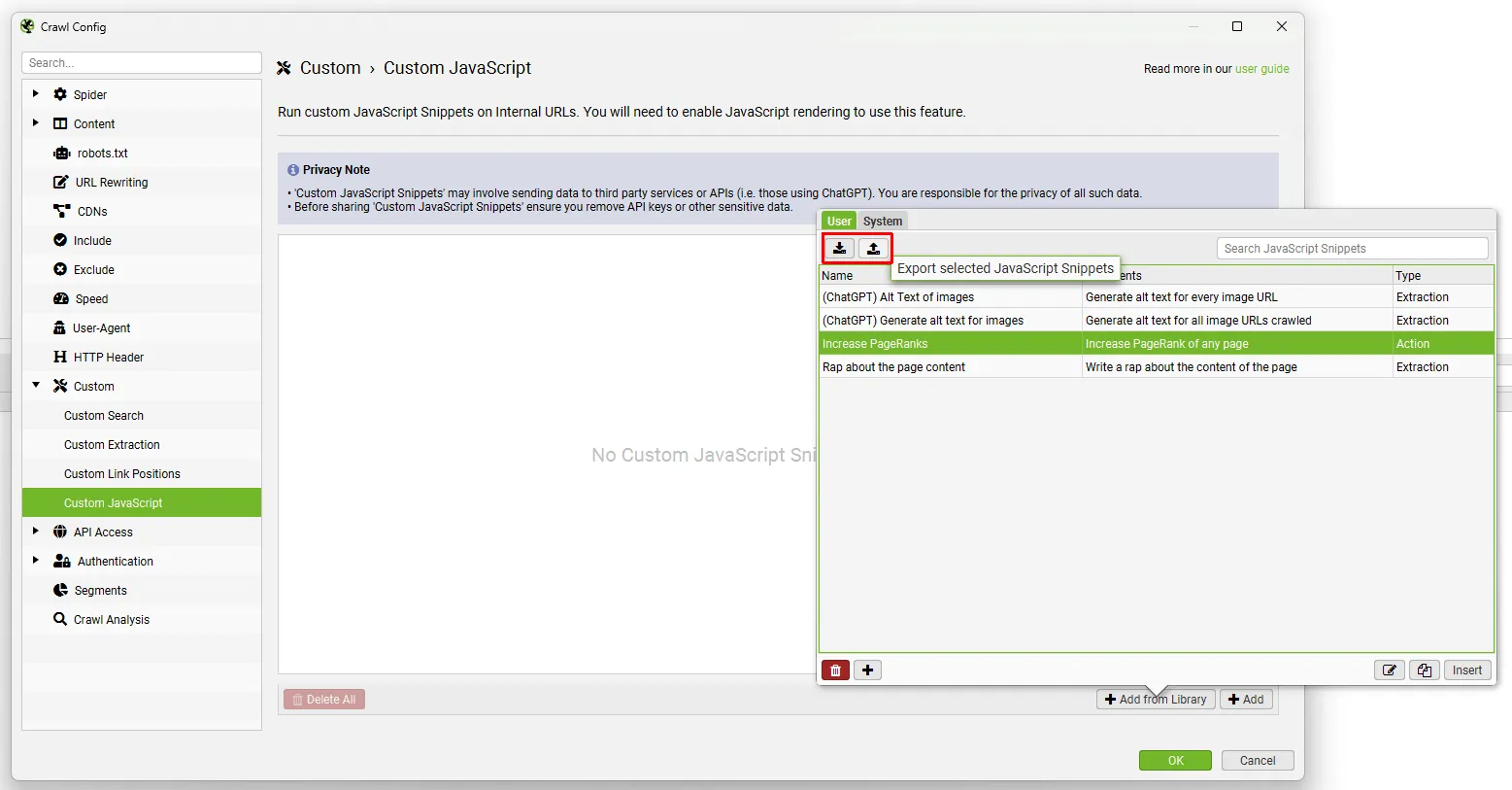
Once you’ve finished testing and debugging and set up your snippets, they’re saved in your user library, and you can export/import the library as JSON and share them very easily.
Mobile usability
Another really useful addition is checking mobile usability at scale through the Lighthouse integration (locally too).
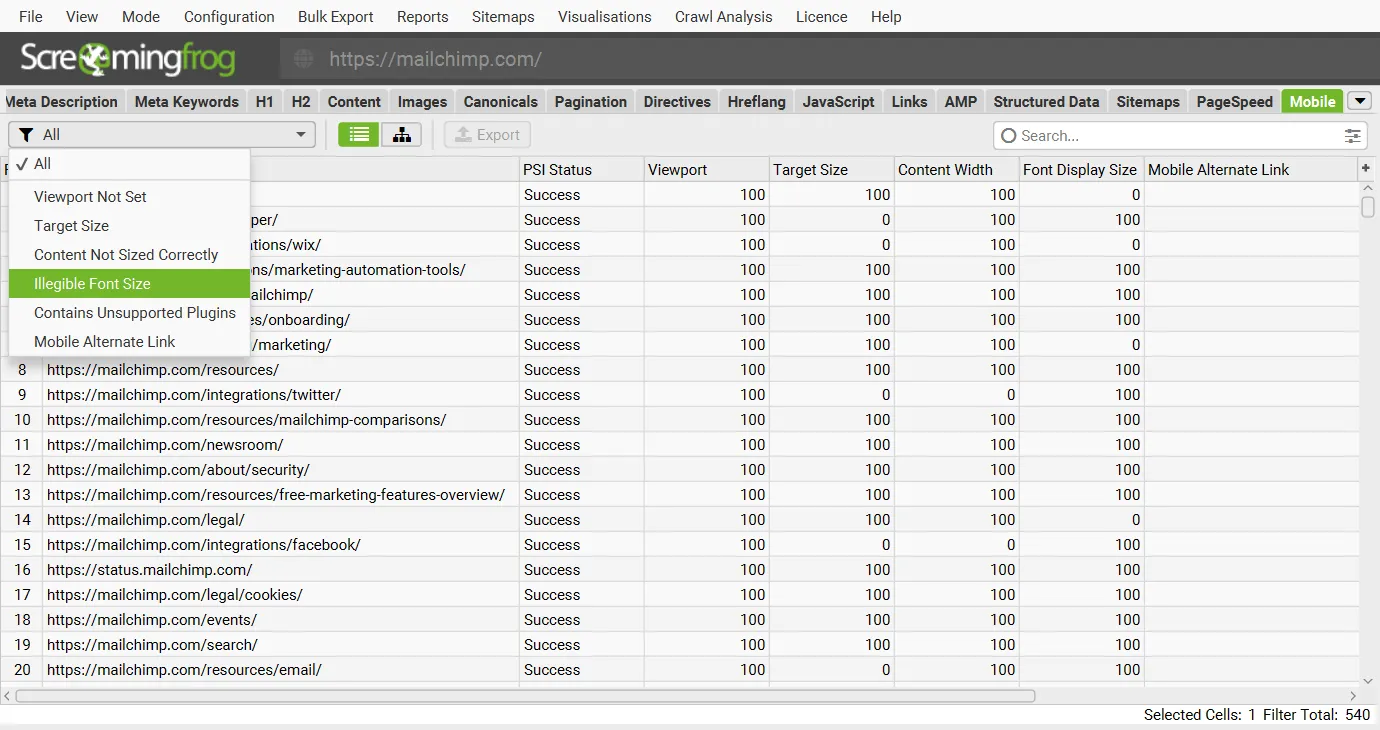
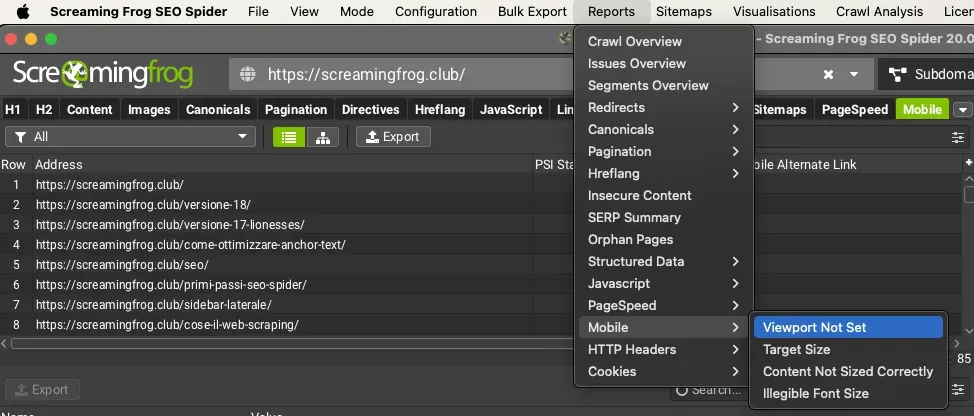
In SEO Spider’s top window you’ll find a new “Mobile” tab with filters that match the guidance already in Google Search Console.
Available filters:
- Viewport not set;
- Target Size;
- Content not sized correctly;
- Contains Unsupported Plugins;
- Mobile Alternate Links.
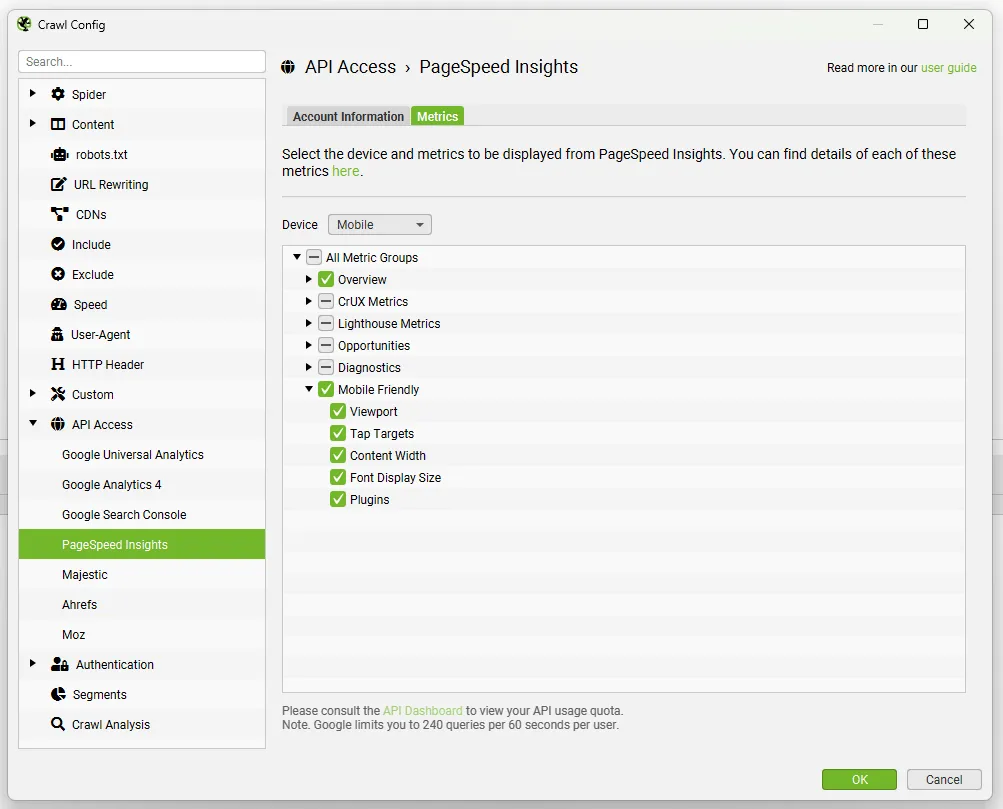
This requires an API connection to PSI (1Configuration›2API Access›3PageSpeed Insights).
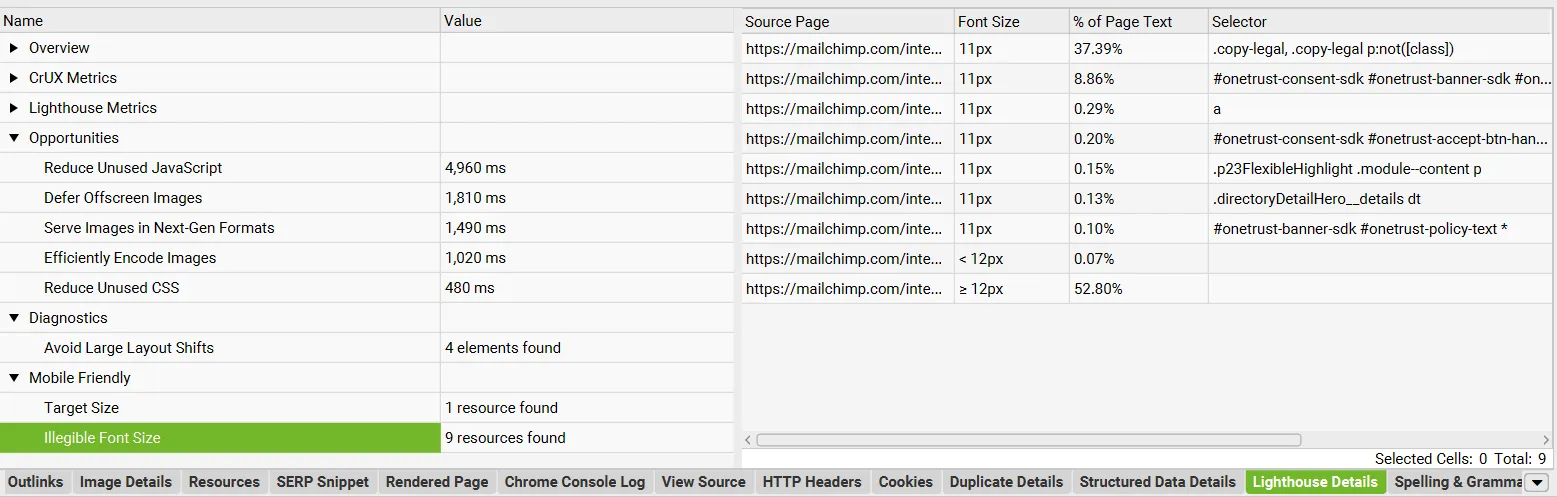
You’ll find the details of this analysis at the bottom of SEO Spider, in the “Lighthouse” tab.
To export the data, just export the report from 1Reports›2Mobile.
N-gram analysis
Big news in SEO Spider for content and internal linking, thanks to the new “N-gram” feature.
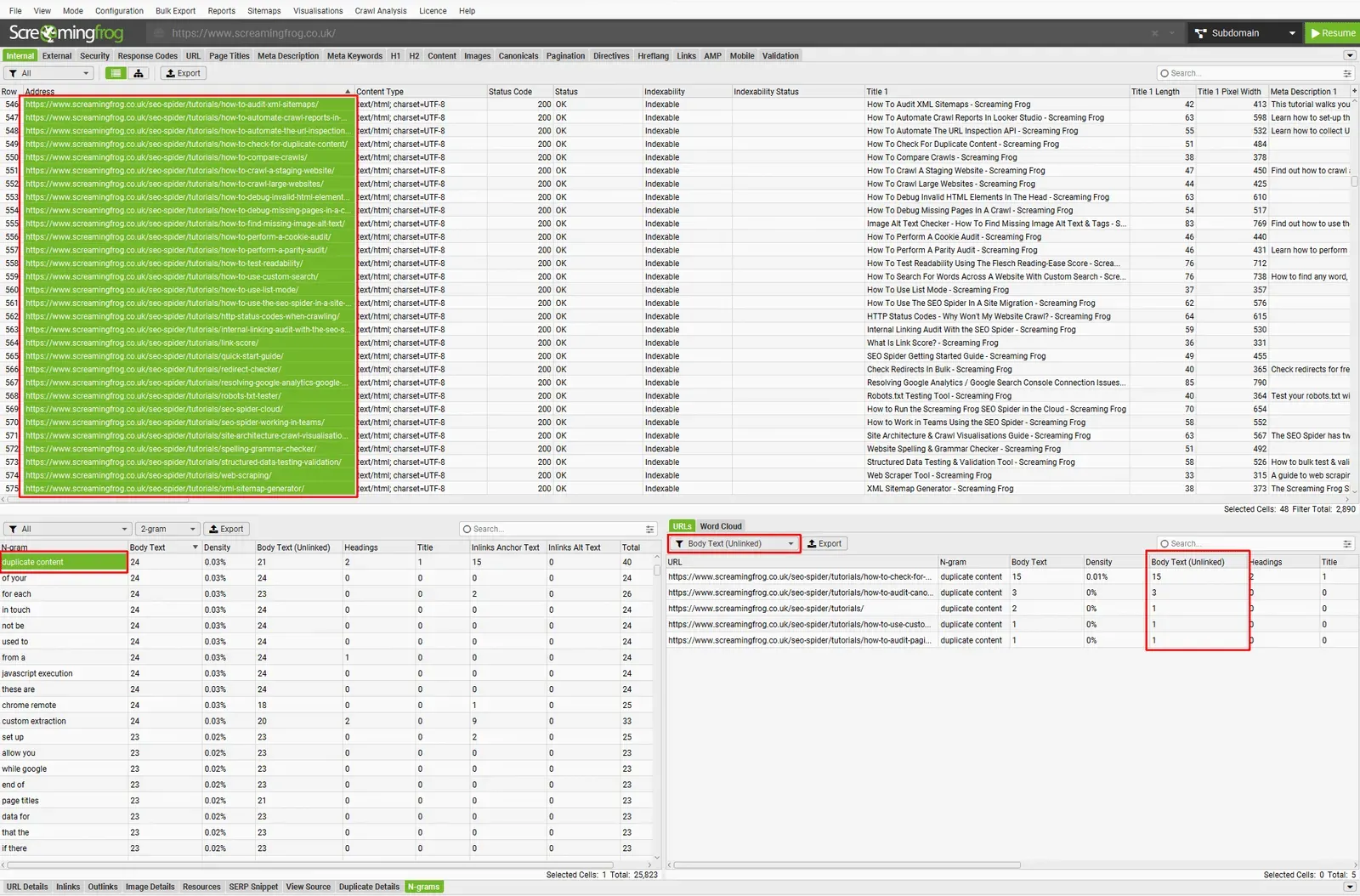
From now on you can analyse the frequency of recurring phrases with n-gram analysis of the pages in a crawl, or aggregated across a selection of a website’s pages.
To enable this feature, turn on “Store HTML / Store Rendered HTML” in 1Configuration›2Spider›3Extraction. The n-grams can then be viewed in the new dedicated bottom tab.
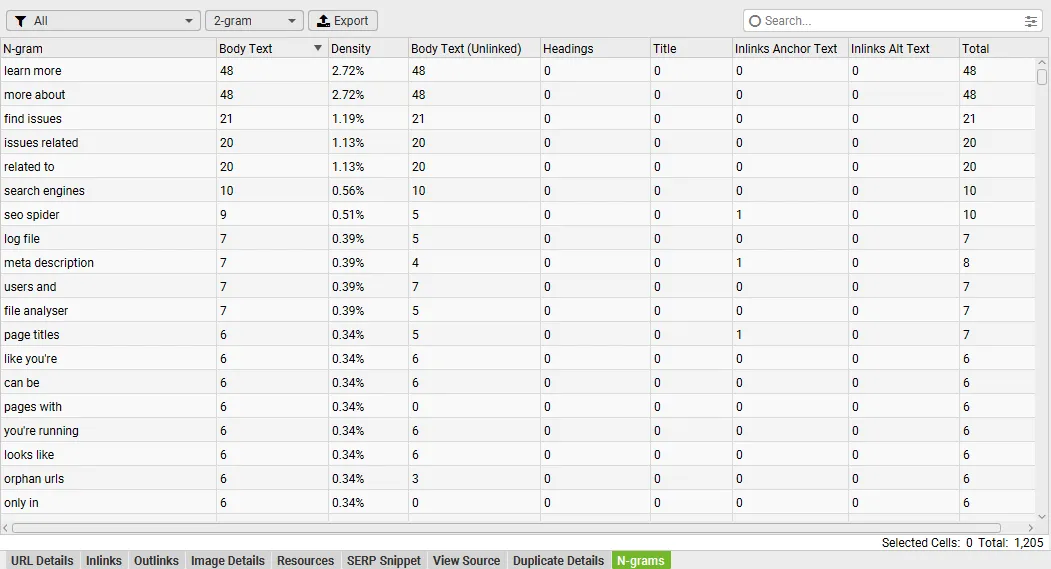
IMPORTANT: this feature shouldn’t be seen as a crusade for keywords (deprecated) but as a tool to support on-page semantics and secure the Search Intent you want to target.
By studying n-grams you can strengthen strategic keywords and improve the website’s internal linking.
For example, by analysing your top competitors you could also identify your own site’s n-grams and use SEO Spider to rework your internal linking.
Aggregated anchor text
New “Anchor Text” filters in the “Inlinks” and “Outlinks” tabs. These let you view, in aggregate, the anchor text pointing to a URL or a selection of URLs for your analysis.
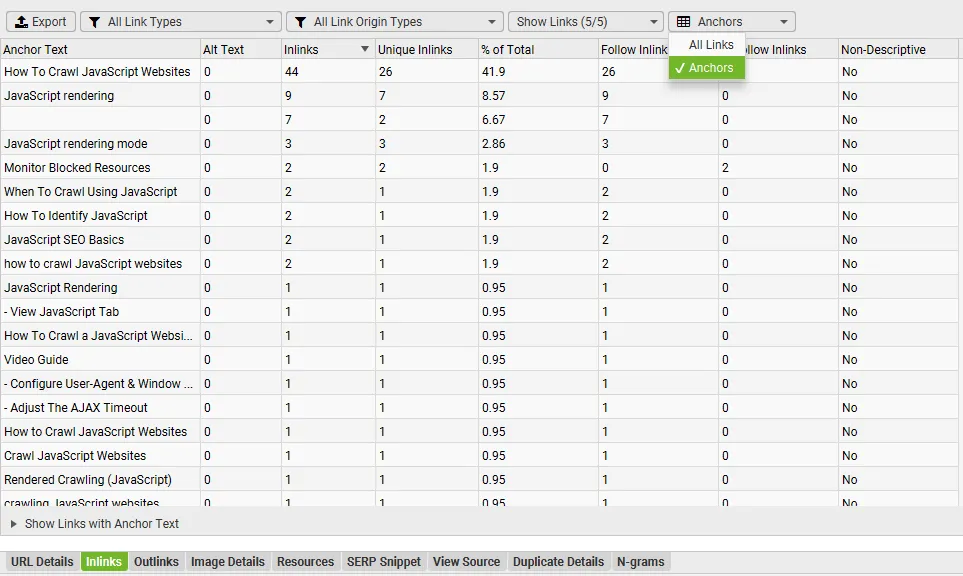
You can also filter out self-referencing and “nofollow” links for a clearer analysis (for both anchors and links).
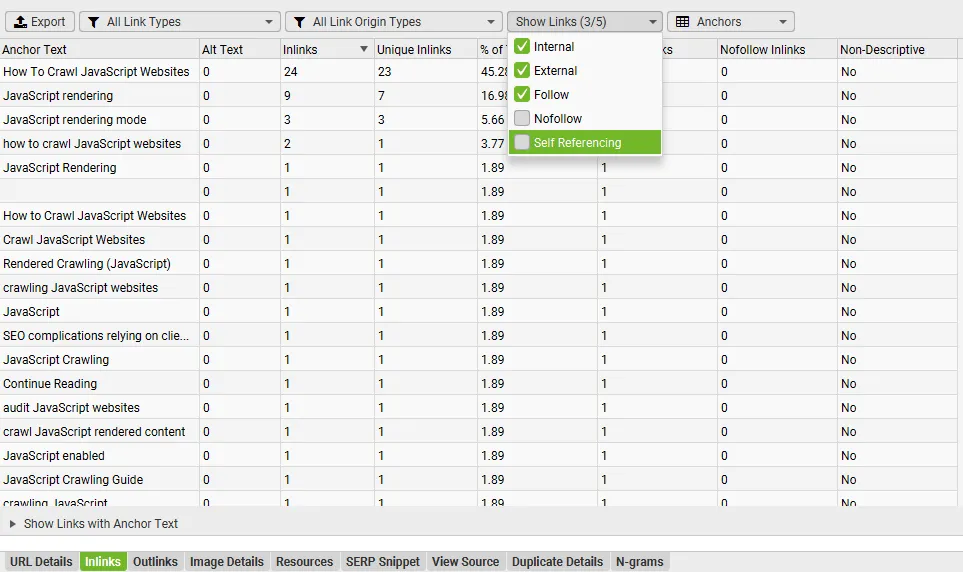
You can then click the anchor text to see exactly which pages it’s on and get the usual link details.
Local Lighthouse integration
The last very significant addition is the option to run Lighthouse locally during the crawl to collect PageSpeed data.
Just select “Local” as the source in 1Configuration›2API Access›3PageSpeed Insights.
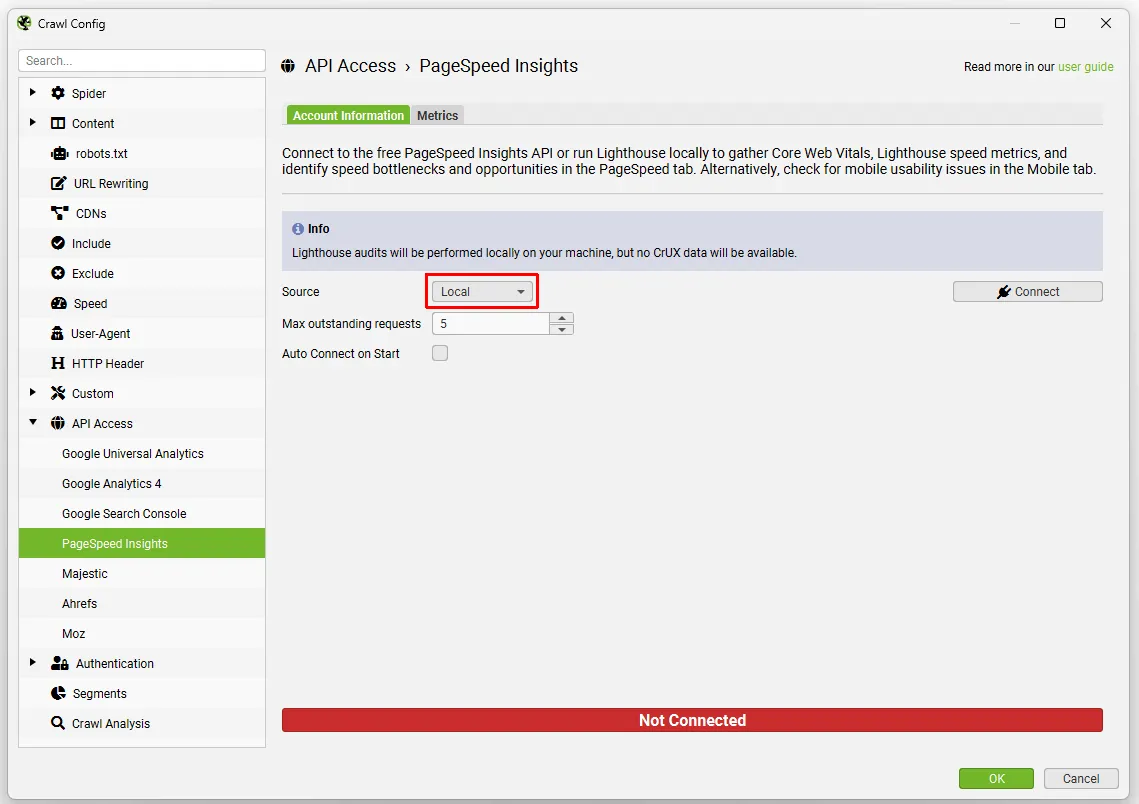
Of course you can still connect through the PSI API to collect data externally, which can include CrUX field data. With “Local” Lighthouse you can’t get that data, but it’s still extremely useful when a site is in development and needs authentication, or when you want to check a large number of URLs.
Questions about Screaming Frog Version 20?
These guides come from real projects. If something in your crawl doesn’t add up, or you want to apply this process to your site, get in touch.
 Author.Raffaele Visintin.Search & Strategic Marketing Advisor