

Version 17 – Lionesses.
New features and bug fixes in the Lionesses release of Screaming Frog SEO Spider
What’s new in SEO Spider version 17 (“Lionesses”): the new Issues tab, the Links tab, new crawl limits, URL Inspection API, an Apple Silicon version and detachable tabs.
Lionesses: all the new features
I’d barely planted the beach umbrella and laid my towel on the sunbed when I was pleased to see that Dan Sharp and his gang had released Screaming Frog version 17, called “Lionesses”, which at first glance looks really interesting.
Let’s go through SEO Spider’s improvements and the best practices for using them.
Issues tab
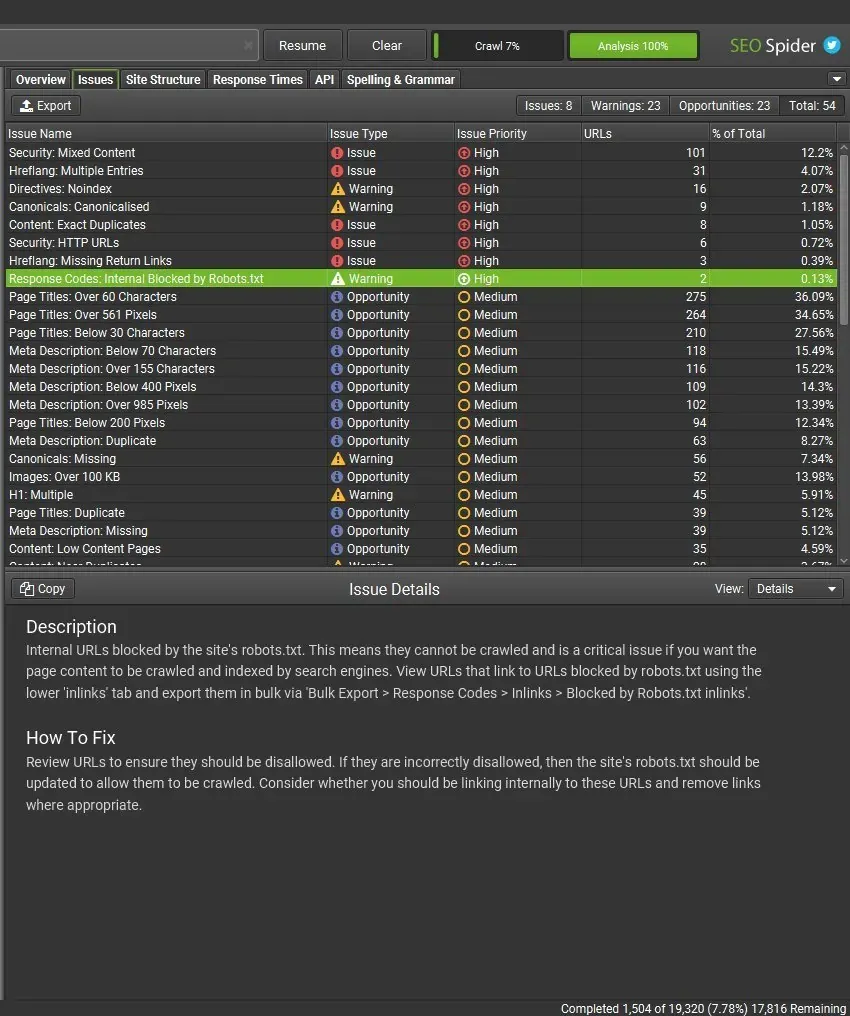
The first new feature is a tab called “Issues” that brings together all the details of the most relevant issues, warnings and opportunities SEO Spider found during the crawl. In my view it’s a real revolution: it expands the “Overview” sidebar to give a more immediate, intuitive view of your project’s health. With this tab you can highlight the most impactful issues and, thanks to the explanations shown at the bottom of SEO Spider, easily decide the priority of each on-page SEO fix.
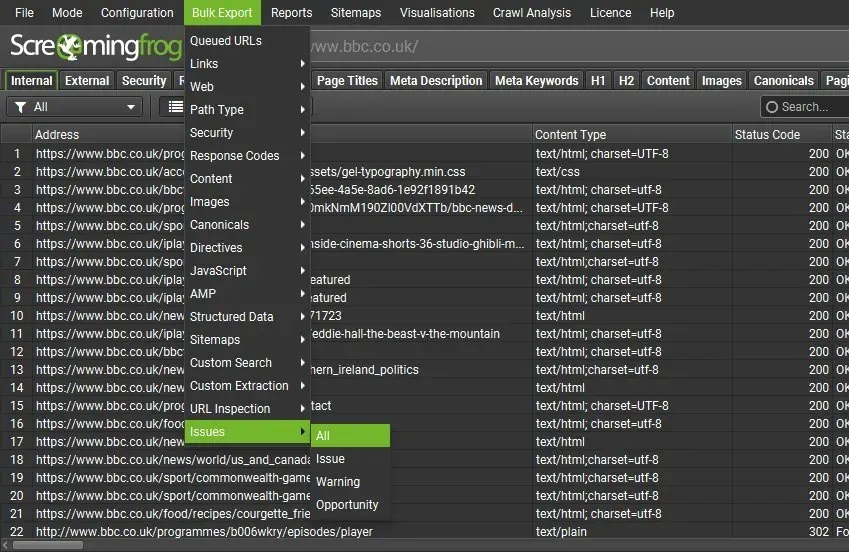
You can also bulk export all this valuable information from 1Bulk Export›2Issues›3All.
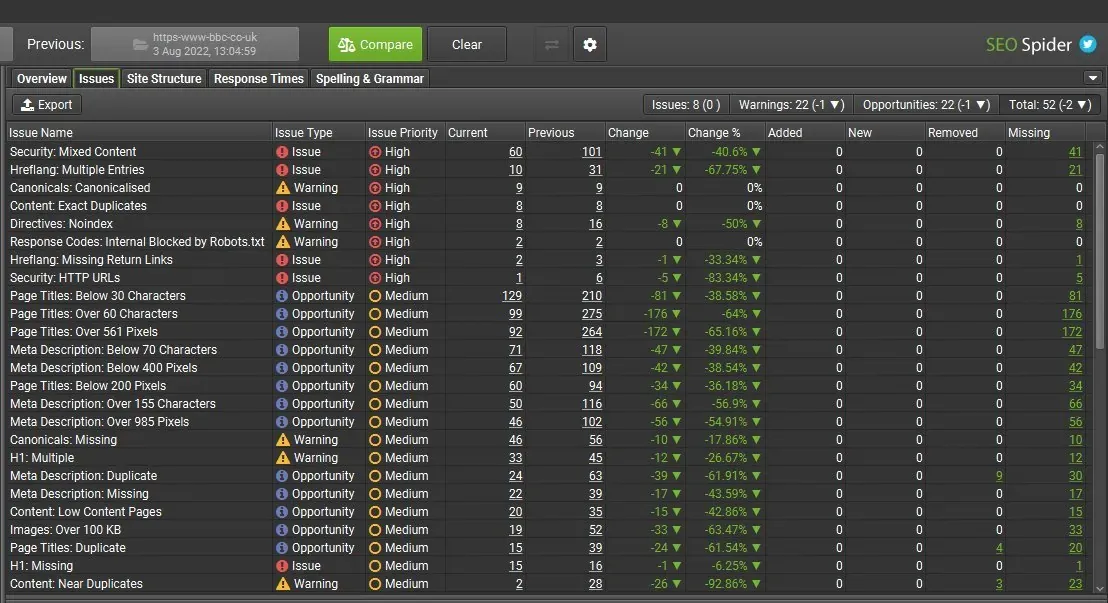
One of the most interesting things about this tab is its versatility, which shines in crawl comparison too, letting you spot the most significant changes between crawls.
As Dan Sharp and his team pointed out, this tab is only a summary of the main areas to analyse: it’s just the tip of the iceberg in SEO terms. SEO Spider allows very deep analysis, and this new feature should be seen as the table of contents of a book whose chapters you still have to read and analyse, to define the right optimisation strategies and really increase your website’s value.
Links tab
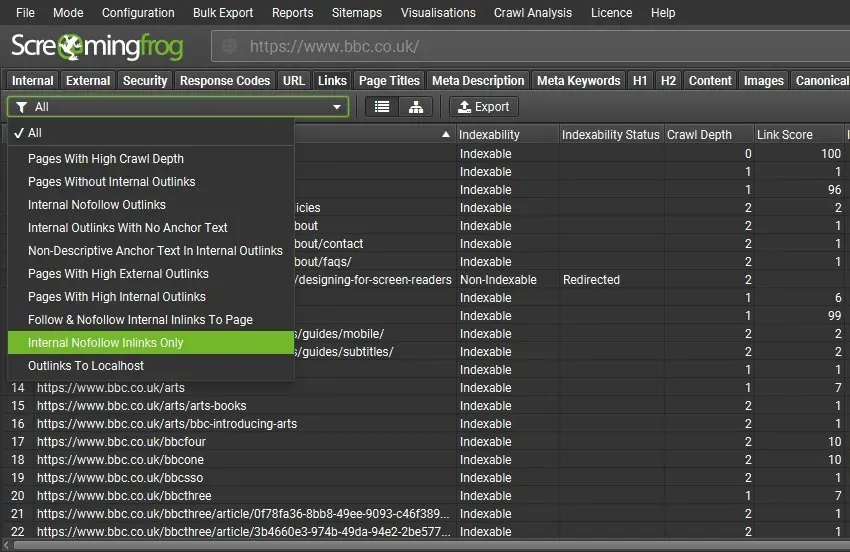
As you know, internal linking and link management in general are a very important ranking factor, and help Google understand the site structure and how it can be navigated. To help you find the most relevant link issues, such as pages with a high crawl depth, pages without external outlinks, pages with “nofollow” links or non-optimised anchor text, SEO Spider has introduced a dedicated tab that I find very useful for digging into the site’s navigation and its potential issues.
This tab’s filters can also be customised in 1Configuration›2Spider›3Preferences, so you can tailor your analysis to the project.
You can export all the data from 1Bulk Export›2Links.
New crawl limits
The third new feature is customisable crawl limits. SEO Spider is more versatile now: you can control how many URLs are crawled by path, for better crawl control and sampling of template types.
1Configuration›2Spider›3Limits now offers “Limit by URL Path”, where you enter a list of URL patterns and the maximum number of pages to crawl for each.
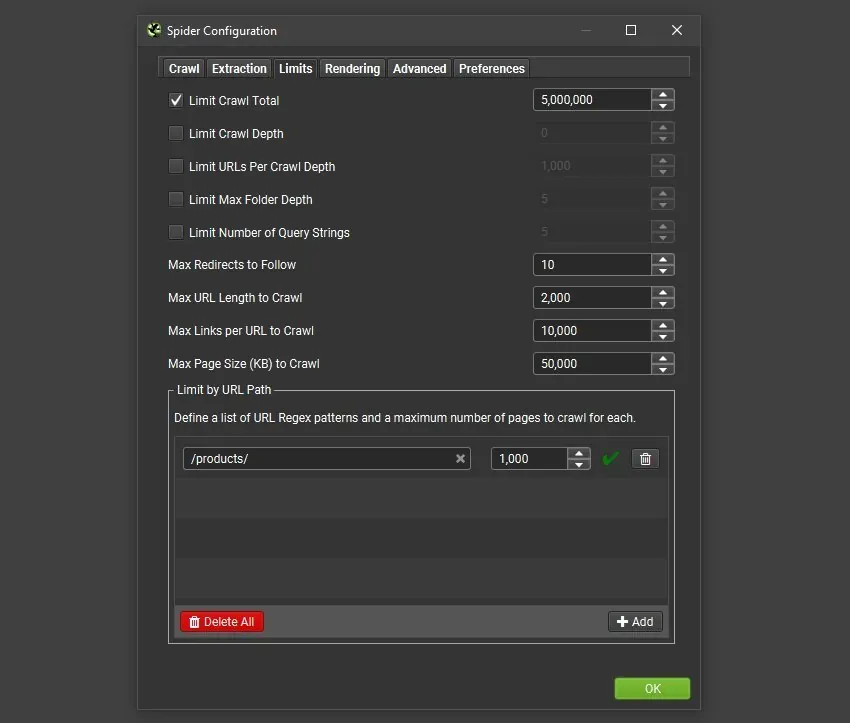
In the example above, at most 1,000 product URLs will be crawled: a big enough sample to make smarter decisions without wasting time and memory.
You can also limit URLs by crawl depth to improve sampling in some scenarios, depending on the project.
URL Inspection API
The fourth feature of Screaming Frog version 17 concerns the Search Console API and gets around Google’s 2,000 queries per day limit.
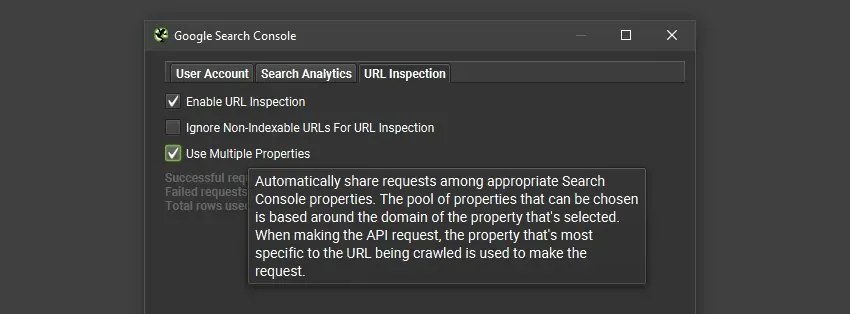
It lets you use several properties verified in GSC, giving you 2K queries per property.
In the URL Inspection API configuration (1Configuration›2API Access›3Google Search Console›4URL Inspection) you can now choose to use “multiple properties” in a single crawl. SEO Spider automatically detects all the relevant properties in the account and uses the most specific one to request each URL’s data.
Apple Silicon version & Fedora RPM
This release brings a native Apple Silicon version for Mac M1/M2 users and an RPM for Fedora Linux users, which significantly improve SEO Spider’s performance in crawl loading and latency.
Detachable tabs
The last new feature concerns SEO Spider’s UX: from Lionesses onwards you can detach individual tabs for even easier analysis.
Just right-click any tab in the main interface and choose “Detach” to move it wherever you like and view data side by side as you need.
Lionesses video
Questions about Version 17 – Lionesses?
These guides come from real projects. If something in your crawl doesn’t add up, or you want to apply this process to your site, get in touch.
 Author.Raffaele Visintin.Search & Strategic Marketing Advisor