

API INTEGRATIONS.
Integrating Google APIs and other third-party services into Screaming Frog.
How to connect Google Analytics, Search Console, PageSpeed Insights, Majestic, Moz and Ahrefs to SEO Spider and combine their data with the crawl data, URL by URL.
API integrations
In an SEO project it helps to have a complete view of all the data you can collect, so you can build a thorough analysis.
Screaming Frog lets you combine data from Google Analytics 4, Google Search Console, PageSpeed Insights, Majestic, Ahrefs, Moz and AI models with the data from the crawl.
The integration downloads via API the data for every single URL you want to add to your analysis.
Setting up an integration
You need to set up the integration before starting the crawl. Let’s see how, using Google Search Console as an example.
1. Open API Access
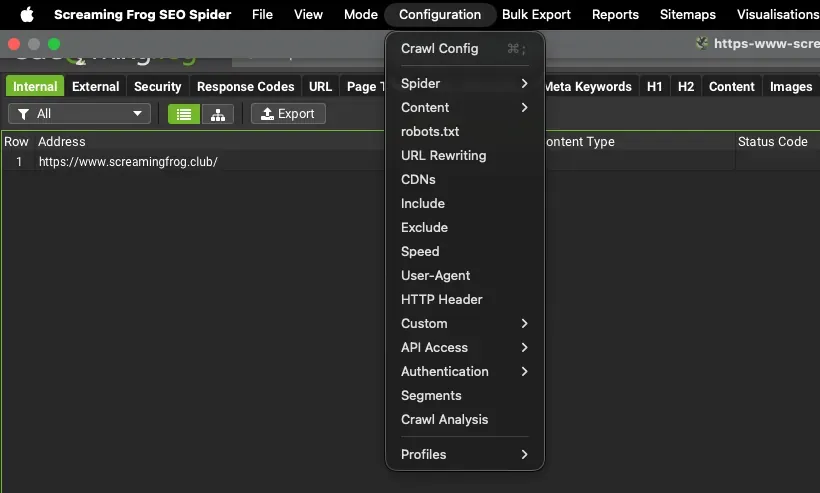
From the main menu open 1Configuration›2API Access and choose the integration you want to connect, for example 1Configuration›2API Access›3Google Search Console.
2. Connect the account
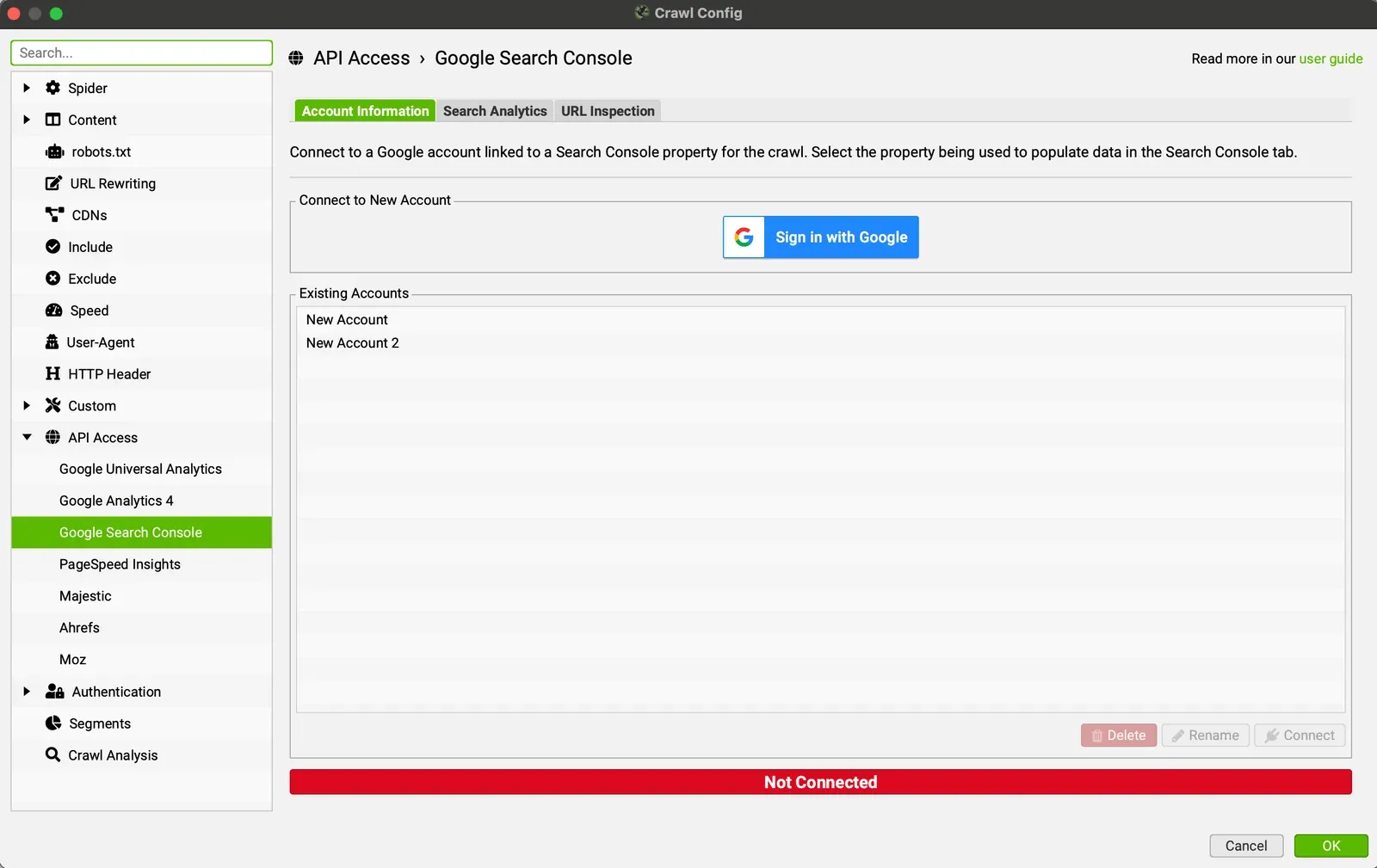
In the Account Information tab click Sign in with Google to choose the account to connect, or pick an account that’s already connected.
3. Set the date range and filters
In the Search Analytics tab you can set a date range by choosing the start and end dates of the period you’re interested in.
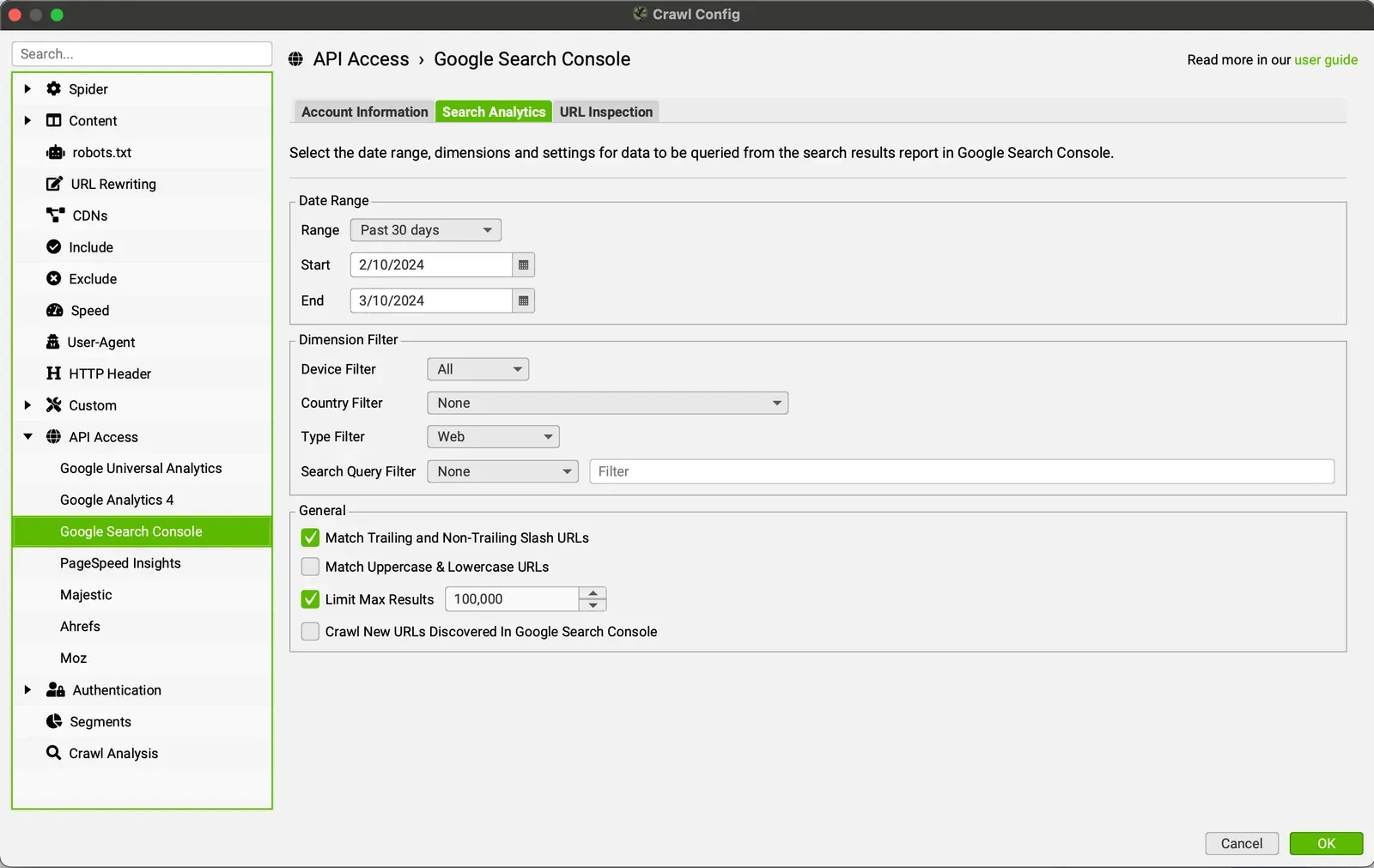
You can filter the data by device (desktop, mobile and tablet), by country, by search type (Web, Image, Video, News, Discover and Google News) and by search query (“contains”, “does not contain” and so on). There’s also a “General” section where you can choose whether to match URLs with or without a trailing slash, upper and lower case, the maximum number of results, and whether to crawl new URLs found in Google Search Console.
4. Check the progress
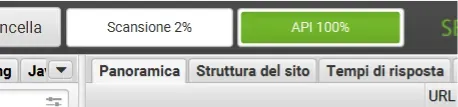
You can confirm the connection works when the API bar, next to the crawl bar at the top right, reaches 100%.
When the crawl is complete, every URL will also have Clicks, Impressions, CTR and Average Position from Google Search Console.
Further readingURL Inspection API.How to use the URL Inspection tab to check URL indexing status and coverage directly from SEO Spider.Read the guideQuestions about API INTEGRATIONS?
These guides come from real projects. If something in your crawl doesn’t add up, or you want to apply this process to your site, get in touch.
 Author.Raffaele Visintin.Search & Strategic Marketing Advisor
