

HTML Pagination.
Learn how to make the most of pagination and improve UX.
How to check the rel=next and rel=prev attributes of paginated series, still used by Bing even though Google ignores them. Enable the option, read the Pagination tab filters, run Crawl Analysis and export the reports.
Managing pagination
The rel="next" and rel="prev" pagination attributes tell search engines how URLs in a paginated series relate to each other. They help consolidate indexing signals across the sequence and point users to the most relevant URL in the series.
Pagination is very common on e-commerce sites, blogs and forum threads. Although Google no longer uses these elements for indexing (links in rel=prev/next don’t pass ranking), they’re still important for other search engines such as Bing and Yahoo, for crawlability and for defining the site structure.
Let’s go through the steps to collect any pagination issues.
Analysing pagination with Screaming Frog
1. Set the pagination options
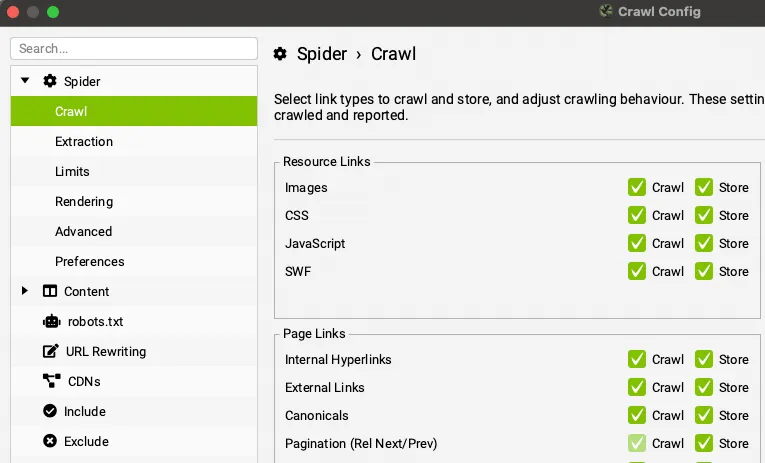
First, enable the pagination option in 1Configuration›2Spider›3Crawl so Screaming Frog crawls and stores the data needed to build the reports.
Once that’s set up, you can run the crawl.
2. Review the pagination data
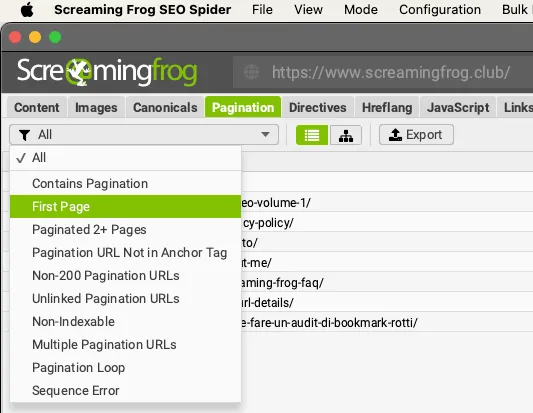
When the crawl is done, view the data in the 1Pagination tab and use one of the available filters to assess how the attributes are implemented and spot any issues.
3. Run Crawl Analysis
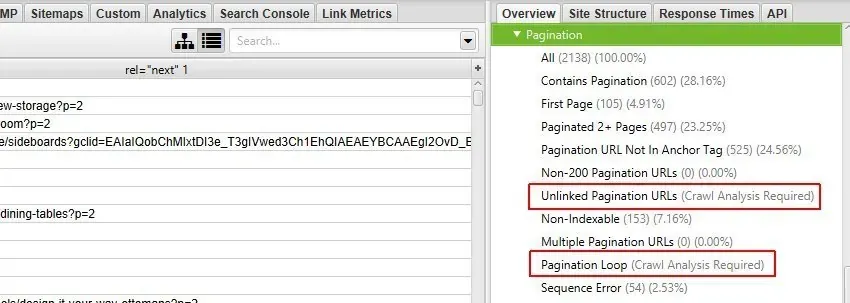
Every filter is populated during the crawl except “Unlinked Pagination URLs” and “Pagination Loop”, which need Crawl Analysis.
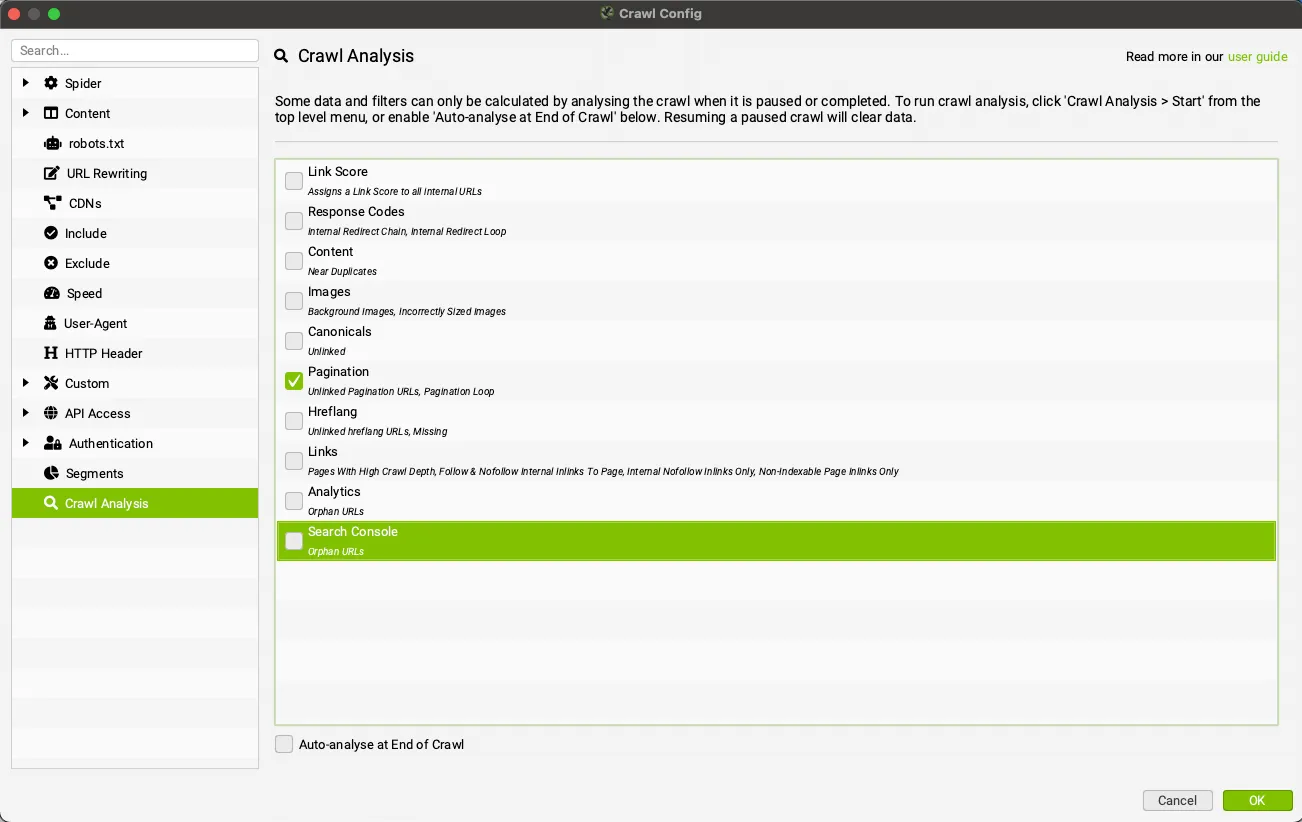
All that’s left is to enable Pagination in 1Crawl Analysis›2Configure and start SEO Spider’s calculation.
Exporting pagination data
Once you’ve picked the filters that suit your SEO audit, all that’s left is to export the data.
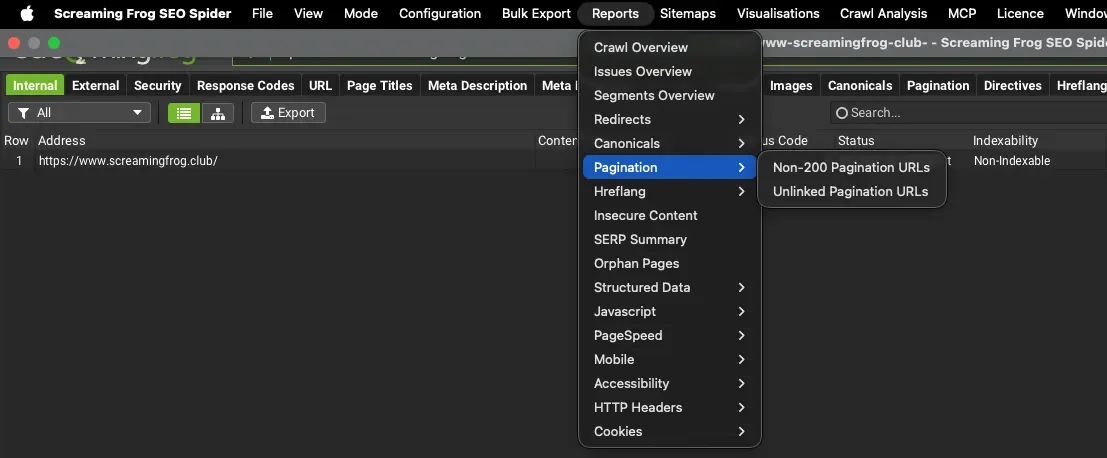
You can use the “Export” button in the tab, which gives you the data of the applied filter only, or the aggregated export from 1Reports›2Pagination, with full details of the source pages that contain pagination errors or issues.
For example, the 1Reports›2Pagination›3Unlinked Pagination URLs export includes the details of the source pages whose rel="next" and rel="prev" attributes point to URLs that receive no other links from the rest of the site.
Video tutorial
Questions about HTML Pagination?
These guides come from real projects. If something in your crawl doesn’t add up, or you want to apply this process to your site, get in touch.
 Author.Raffaele Visintin.Search & Strategic Marketing Advisor