

META TAGS.
Screaming Frog’s tabs for analysing meta tags: title, description and meta keywords.
What you’ll find in SEO Spider’s Page Titles, Meta Description and Meta Keywords tabs: filters for missing, duplicate, too long or too short tags, and how to check the SERP snippet.
Meta title
Meta titles are considered a ranking factor by search engines and are the first point of contact between users and your website. Optimising them improves your position in search results and increases the CTR (click-through rate) of your SERP snippets.
The “Page Titles” tab shows you every element to monitor when optimising this tag.
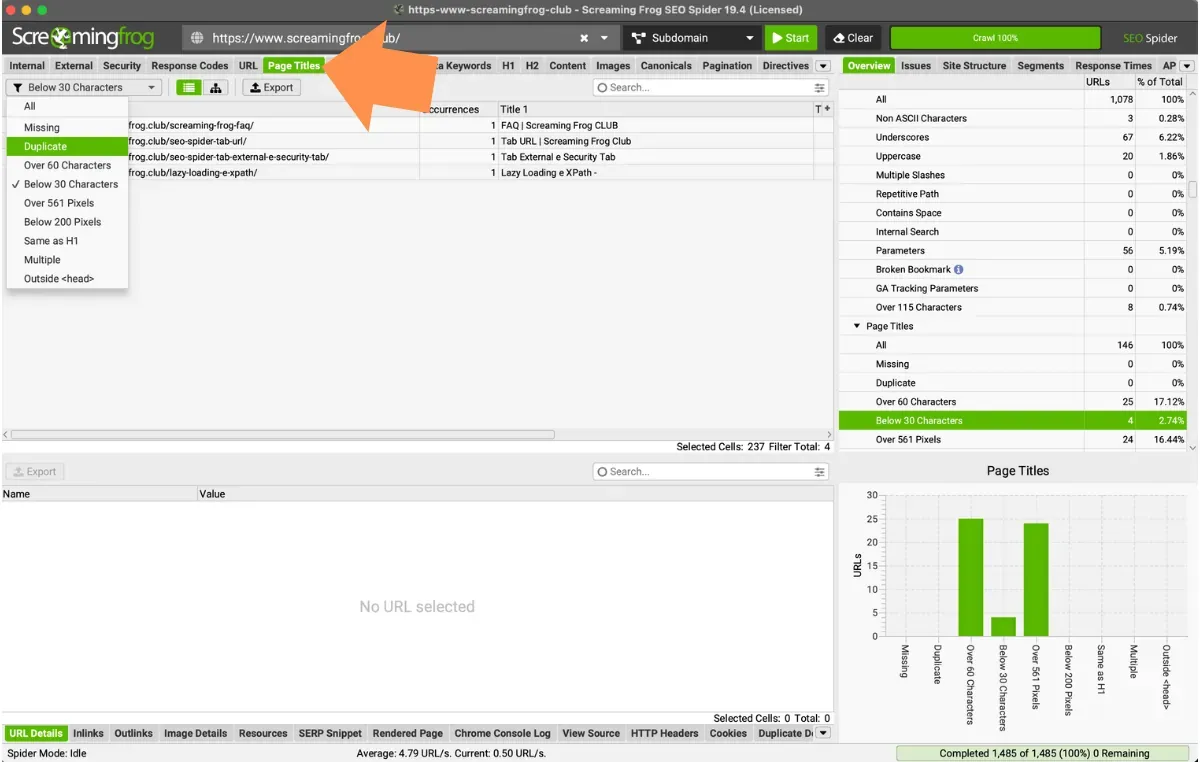
The tab includes these columns:
- Address: the crawled URLs.
- Occurrences: the number of meta titles found on the page, up to 2.
- Title 1: the text of the title tag.
- Title 1/2 length: the number of characters in the title.
- Indexability: whether the URL is indexable or non-indexable.
- Indexability Status: the reason a URL is considered non-indexable.
These can be filtered as follows:
-
Missing: every page without a title, showing you which URLs to optimise. This tag contributes to the site’s rankings and helps improve CTR and traffic. Optimising it stops the search engine choosing page titles on its own, often badly.
-
Duplicate: every page with duplicate titles. Given its role in ranking, it’s very important that every page has a distinct title that lets users grasp the search intent straight from the snippet and doesn’t confuse search engines.
-
Over 60 characters: every page with a title longer than 60 characters. Characters beyond this limit may be truncated in Google’s results and carry less weight for ranking. My personal advice is to stay under 55 characters. The filter defaults to 60 but you can change the threshold in 1Configuration›2Spider›3Preferences.
-
Below 30 characters: every page with a title under 30 characters. Not necessarily an SEO problem, but a title that’s too short may lack impact and not convey the search intent well.
-
Over X Pixels: Google’s snippet length is actually based on pixel limits rather than a character count. This filter lets you set the maximum threshold and monitor pages whose titles are longer than X pixels. Screaming Frog’s default limit is 561 pixels, editable in 1Configuration›2Spider›3Preferences.
-
Below X Pixels: every page whose title is shorter than X pixels. Not critical, but with more space available you could communicate your USPs more fully.
-
Same as H1: every title that exactly matches the page’s H1. Not really a problem, but differentiating title and H1 gives you more chances to use alternative keywords, synonyms or related phrases that better shape the page’s keyword set and define its search intent.
-
Multiple: every page with more than one title. Multiple titles are often caused by conflicting CMS plugins or modules and should be fixed so they don’t confuse search engines.
-
Outside <head>: pages with a title outside the head, which search engines may ignore.
Meta description
The meta description isn’t a ranking factor, but it’s where you meet potential visitors: a well-written, persuasive description, together with the page title, increases clicks and, as a result, awareness of your website.
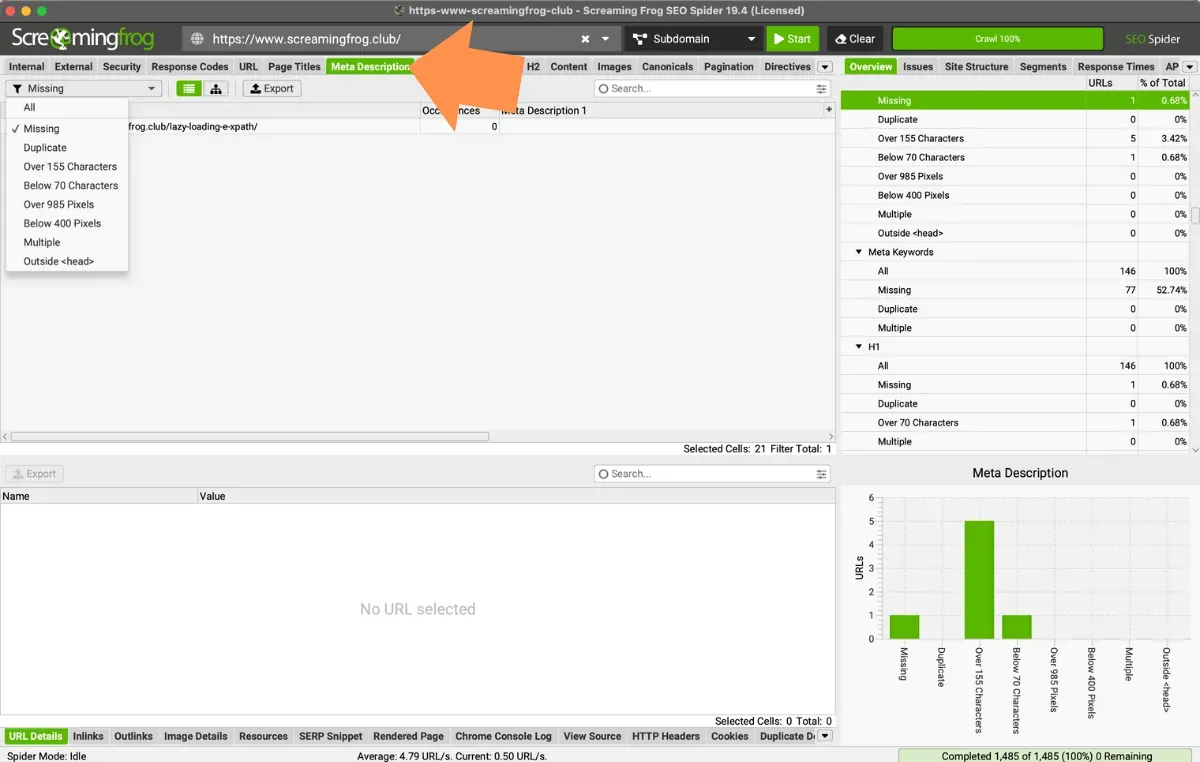
- Address: the crawled URL.
- Occurrences: the number of meta descriptions on the page.
- Meta Description 1-2: the text of the meta description.
- Meta Description 1/2 length: the length of the meta description in characters. My advice is to write between 70 and 155 characters.
- Indexability: whether the URL is indexable or non-indexable.
- Indexability Status: the reason a URL is considered non-indexable.
This tab also has several interesting filters:
-
Missing: any page whose meta description is missing, empty or just white space. These pages are wasted opportunities to communicate the benefits of your product or service and influence click-through rates on your most important URLs.
-
Duplicate: every page with duplicate meta descriptions. It’s very important to look after this tag to communicate each page’s purpose. If descriptions are duplicated or irrelevant, search engines will ignore them.
-
Over 155 characters: every page whose meta description is longer than 155 characters. Characters beyond this limit may be truncated in Google’s results.
-
Below 70 characters: every page whose meta description is under 70 characters.
-
Over X Pixels: every page whose description is longer than X pixels and may be truncated in Google’s results.
-
Below X Pixels: every page whose meta description is shorter than X pixels.
-
Multiple: every page with multiple meta descriptions, which would confuse the bot.
-
Outside <head>: pages with a meta description outside the head.
Meta keywords
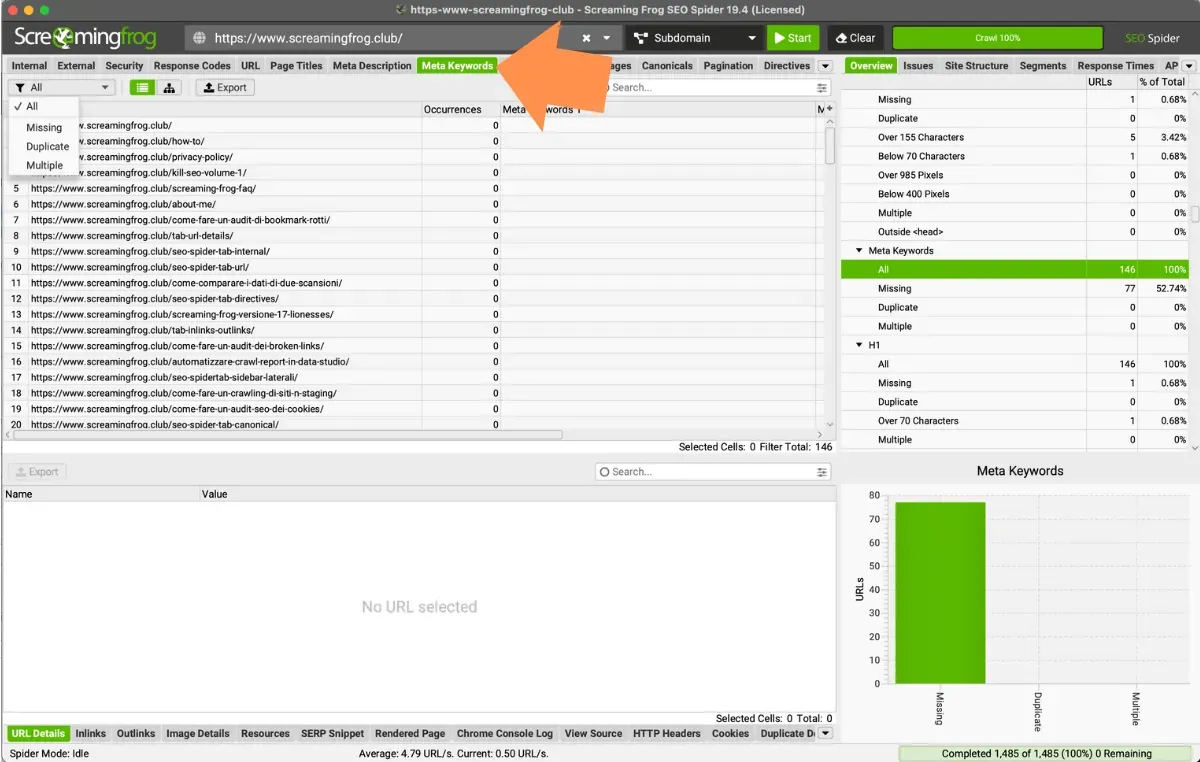
Meta keywords are largely ignored by search engines, and Google doesn’t use them for ranking. So I recommend ignoring them completely, unless you’re targeting alternative search engines.
Video tutorials
Meta title analysis
SERP snippets
Questions about META TAGS?
These guides come from real projects. If something in your crawl doesn’t add up, or you want to apply this process to your site, get in touch.
 Author.Raffaele Visintin.Search & Strategic Marketing Advisor