

Redirect SEO Audit.
How to analyse redirects with Screaming Frog and avoid wasted crawl budget and redirect chains.
How to analyse a site’s redirects with SEO Spider: type, destination, chains and loops. You can crawl the whole site or check a list of URLs in List mode.
Redirect analysis
The 3xx response code identifies redirects, a very important factor to manage when optimising a website, to protect the search engine’s crawl budget.
With Screaming Frog you can check the status code (301, 302, 303 etc.), the status (permanent or temporary), the redirect destination and whether there are redirect chains or loops.
There are two ways to analyse redirects with SEO Spider:
- Crawl a site to check redirects: you crawl the whole site.
- Upload a list of URLs to check redirects: you upload a list of URLs in List mode and check their redirects.
Crawling the site
Crawling in Spider mode
The first step is to crawl the site or subdomain in Spider mode (1Mode›2Spider).
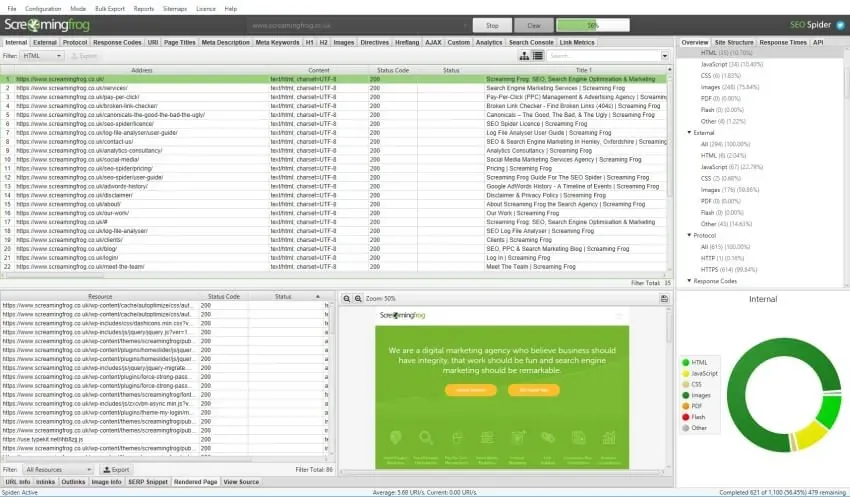
Reviewing the results
To review the data, click the Response Codes tab and set the Redirection (3xx) filter.
The first column lists the redirecting URLs; the next ones show the redirect type (301, 302 etc.) and the destination page (the Redirect URL column).
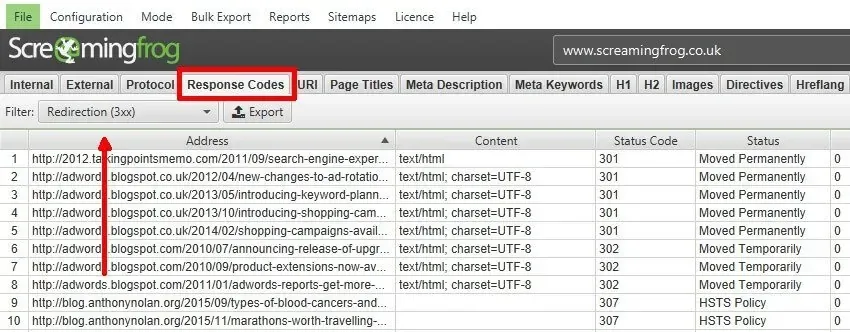
The Redirect URL column only shows the final destination of the redirect: combine it with the Redirect Chains report (1Reports›2Redirects›3Redirect Chains), which shows redirect chains and intermediate loops.
To optimise your redirects, check the Inlinks tab: click a URL in the top window and then the Inlinks tab to populate it. You’ll see the page where the link to the redirect was found (From column), the destination (To column) and other details, such as follow and nofollow attributes.
Exporting the data
Once you have the data, export the Redirection (3xx) Inlinks report:
1Bulk Export›2Response Codes›3Internal & External›4Redirection (3xx) Inlinks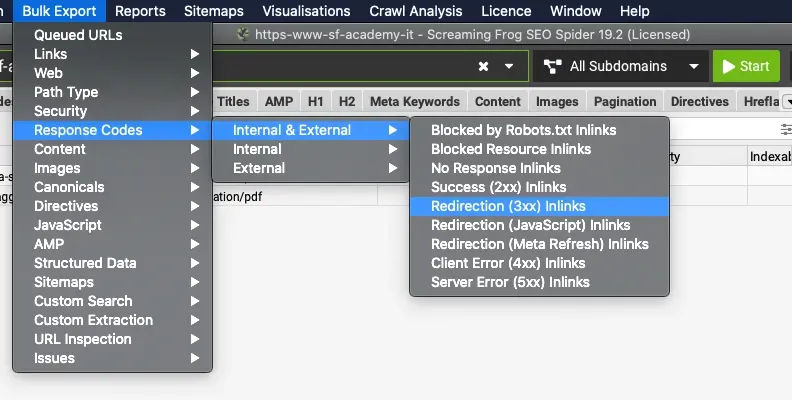
Uploading a list of URLs
The second way to check redirects is SEO Spider’s List mode (1Mode›2List): upload a file, enter the URLs manually or paste a list with Upload › Paste.
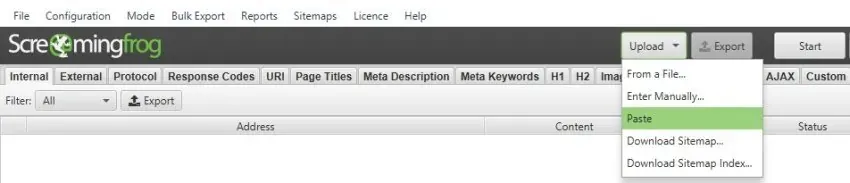
The analysis process is the same as described above.
Further readingList crawl mode.How to upload a list of URLs into SEO Spider and export the results in the same order.Read the guide Further readingStatus Code tab.Every filter in the Response Codes tab, from redirects to client and server errors.Read the overview Further readingReports.SEO Spider’s reports, including Redirect Chains to find chains and loops.Read the overviewRedirect video tutorial
Questions about Redirect SEO Audit?
These guides come from real projects. If something in your crawl doesn’t add up, or you want to apply this process to your site, get in touch.
 Author.Raffaele Visintin.Search & Strategic Marketing Advisor
