

URL Rewriting.
Learn how to remove parameters and session IDs for more precise, effective SEO audits.
How to rewrite URLs during the crawl with the URL Rewriting feature: strip tracking parameters and session IDs, use Regex Replace for advanced substitutions and turn every URL lowercase.
The URL Rewriting feature
The “URL Rewriting” feature lets you rewrite URLs in seconds and is extremely useful for removing parameters and session IDs.
It applies to every URL discovered during the crawl, except the start URL in “Spider” mode and the list of URLs you upload in “List” mode.
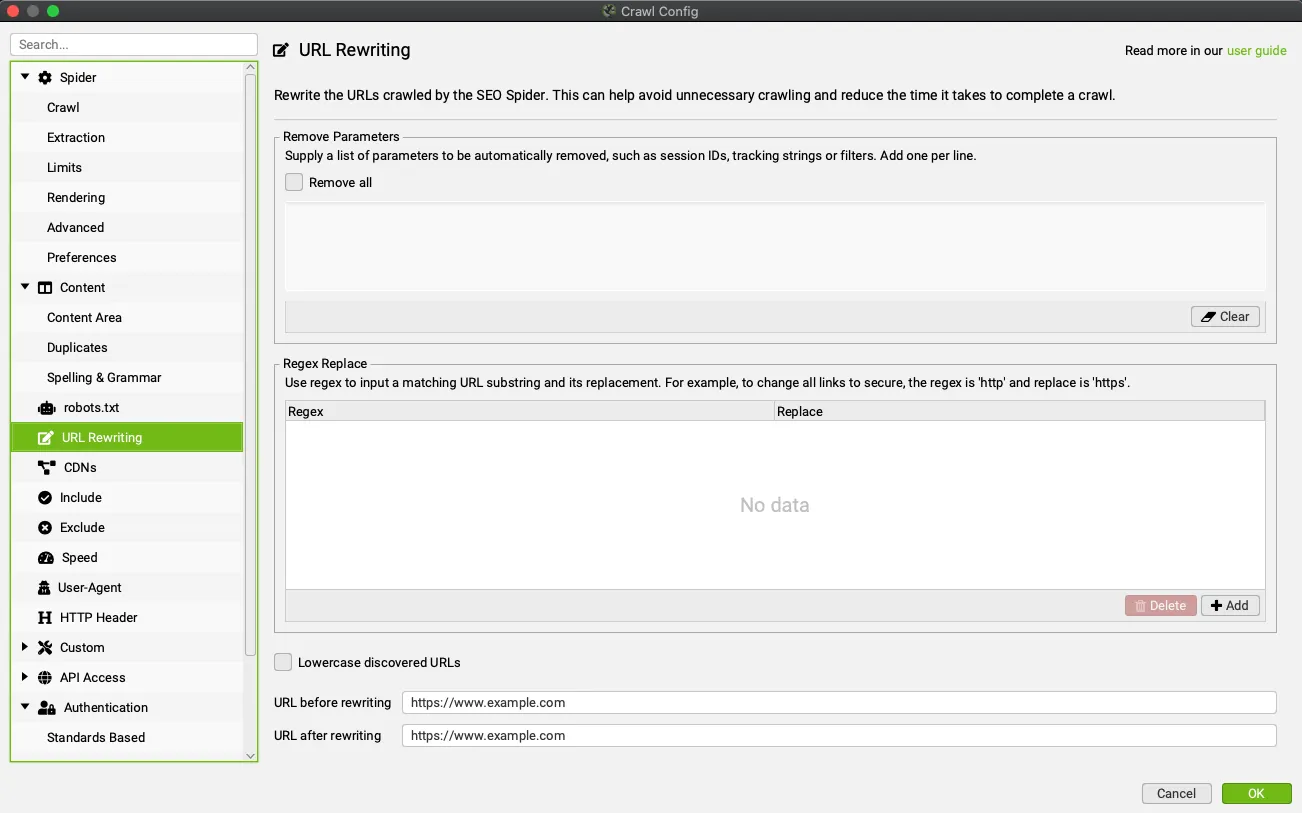
For example, if a website uses session IDs that make URLs look like “example.com/?sid=6578”, just add ‘sid’ (without the quotes) to the Remove Parameters field of the URL Rewriting feature: 1Configuration›2URL Rewriting
Another very common case, for sites running PPC campaigns, newsletters and so on, is tracking parameters such as:
utm_source
utm_medium
utm_campaign
Here too, just add them in the “URL Rewriting” window to get URLs without parameters.
Once you’ve identified the parameters to remove, I recommend checking that everything works before starting the crawl: enter a sample URL in the URL before rewriting field at the bottom of the window and check the result in URL after rewriting. To remove every parameter without listing them, enable Remove all.
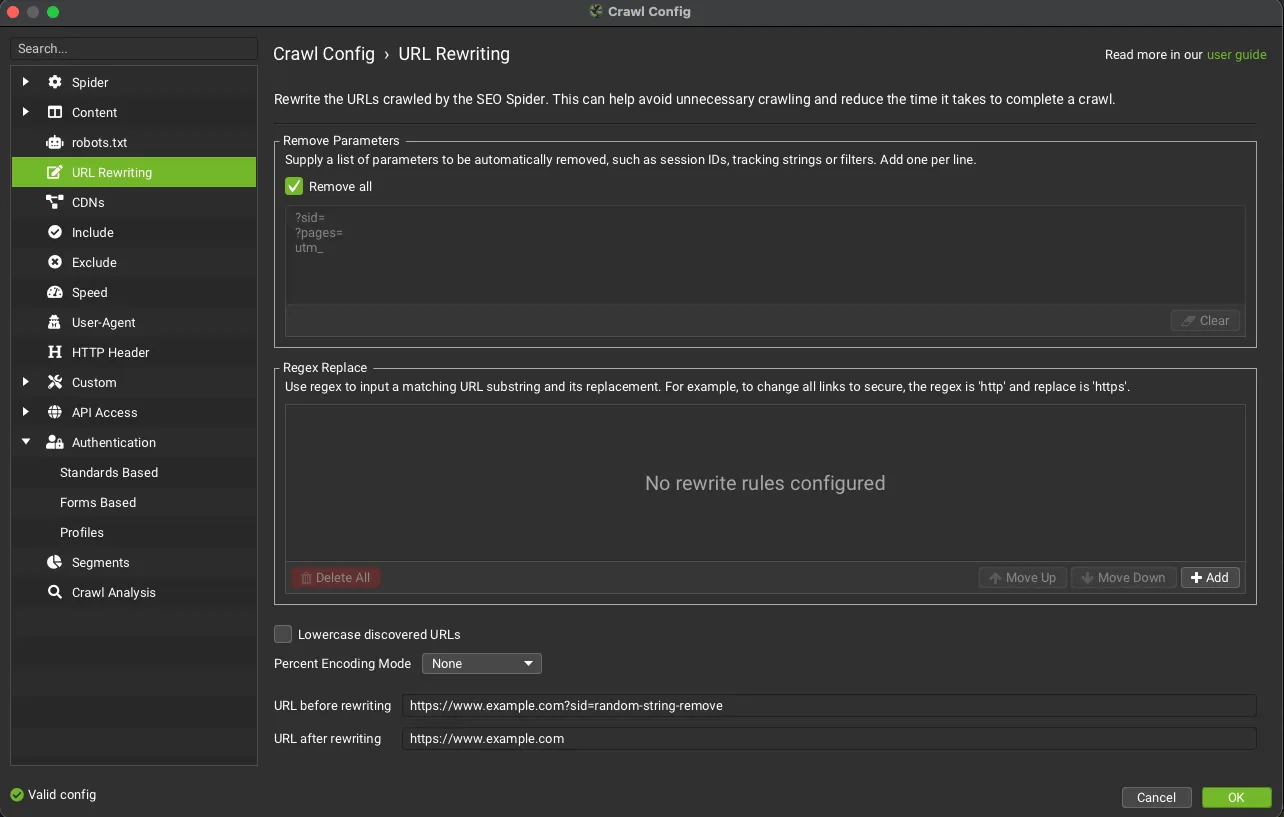
Besides the feature above, you can use the advanced “Regex Replace” option.
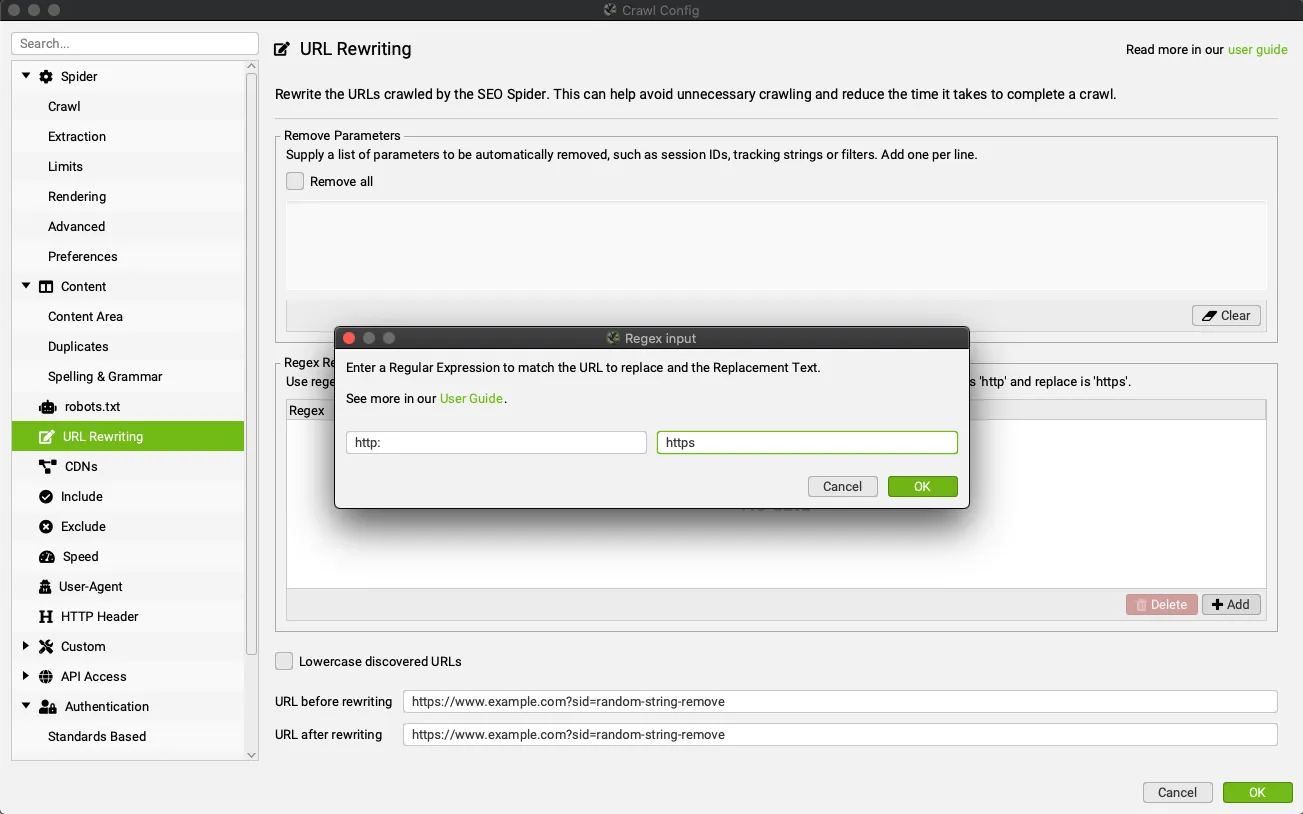
This advanced feature runs on every URL found during a crawl or in list mode. With regex syntax you can easily replace any substring of a URL that matches your input with the string of your choice. This option can also be tested with the URL before rewriting and URL after rewriting fields at the bottom of the configuration window.
URL rewriting examples
With regex the possibilities are endless. Here are a few:
Change URLs from HTTP to HTTPS
Regex: http
Replace: https
Change all URLs from domain.com to domain.it
Regex: .com
Replace: .it
Normalise every link containing page=number to a fixed number, for example
- www.example.com/page.php?page=1
- www.example.com/page.php?page=2
- www.example.com/page.php?page=3
- www.example.com/page.php?page=4
Regex: page=\d+
Replace: page=1
Remove www. from any URL with an empty ‘Replace’.
Regex: www.
Replace:
Remove all parameters
Regex: \?.*
Replace:
Change links from HTTP to HTTPS only for example.com subdomains
Regex: http://(.*example.com)
Replace: https://$1
Remove anything after a hash in JavaScript rendering mode
Regex: #.*
Replace:
Add parameters to URLs
Regex: $
Replace: ?parameter=value
This appends ‘?parameter=value’ to the end of every URL found
When the site already uses parameters, you need more complex expressions so the parameter is added correctly:
Regex: (.*?\?.*)
Replace: $1¶meter=value
Regex: (^((?!\?).)*$)
Replace: $1?parameter=valueA final URL rewriting option is removing from the crawl every URL duplicated by uppercase characters, by enabling Lowercase discovered URLs in the same window.
Questions about URL Rewriting?
These guides come from real projects. If something in your crawl doesn’t add up, or you want to apply this process to your site, get in touch.
 Author.Raffaele Visintin.Search & Strategic Marketing Advisor