

Screaming Frog – Version 23.0.
Screaming Frog version 23 brings Lighthouse and Ahrefs updates, automatic crawl management, semantic embeddings and new link visualisations: a step forward for technical SEO analysis.
Guide contents 10 sections
●Brief01.SEO Spider version 23 update02.Lighthouse and PSI updated to Insight Audits03.Ahrefs API v3 update04.Automatic crawl deletion (Crawl Retention)05.Embedding rules for semantic similarity06.All links available in Visualisations07.Link visualisation in semantic clusters08.Screaming Frog: other v23 updates09.ConclusionsWhat’s new in SEO Spider version 23 ("Rush Hour"): updated Lighthouse and PageSpeed Insights, Ahrefs API v3, automatic crawl deletion, embedding rules and new link visualisations.
SEO Spider version 23 update
A new Screaming Frog SEO Spider update brings us version 23.0, internal codename “Rush Hour”.
At the heart of this release is an update to the main integrations to keep them compatible and avoid breaking changes, along with a few minor functional improvements.
Let’s look at what’s new in detail.
Lighthouse and PSI updated to Insight Audits
One of the first changes to the crawler concerns Lighthouse and PageSpeed Insights.
This update follows the evolution of Lighthouse audits and the DevTools performance panel.
With Lighthouse 13, some audits were removed and others merged or renamed.
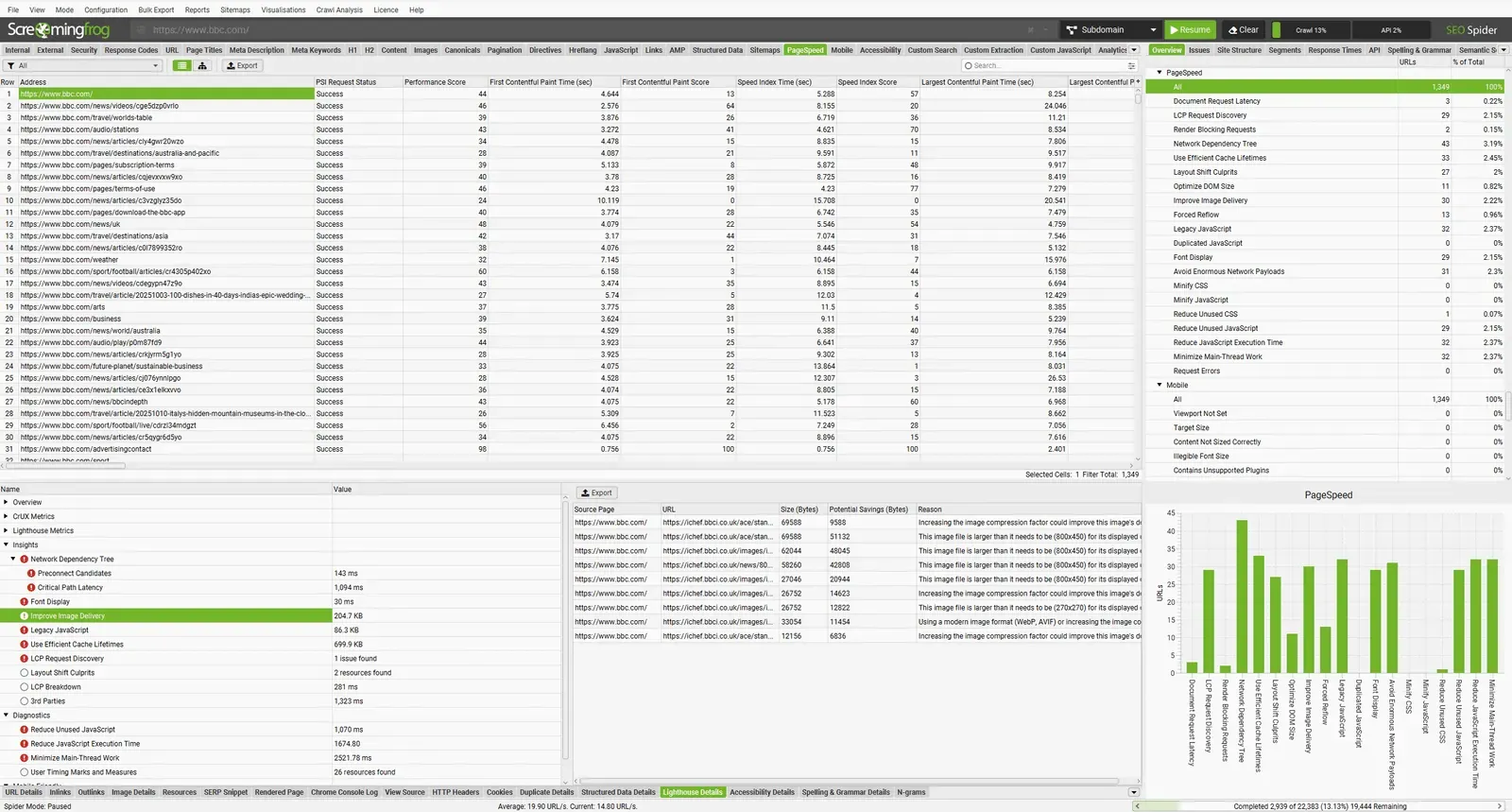
The changes are significant and include name and API changes, so a quick adaptation was needed. For example, several image-related checks are now merged into the new “Improve Image Delivery” audit.
The new approach is more aggregated, logical and efficient, while still allowing a high level of detail.
The PSI integration (Configuration > API Access > PSI) has been updated accordingly to ensure consistency and compatibility.
Here’s the list of new checks and those removed in Screaming Frog.
New checks:
- Document Request Latency
- Improve Image Delivery
- LCP Request Discovery
- Forced Reflow
- Avoid Enormous Network Payloads
- Network Dependency Tree
- Duplicated JavaScript
Merged or removed checks:
- Defer Offscreen Images
- Preload Key Requests
- Efficiently Encode Images (now part of Improve Image Delivery)
- Properly Size Images (now part of Improve Image Delivery)
- Serve Images in Next-Gen Formats (now part of Improve Image Delivery)
- Use Video Formats for Animated Content (now part of Improve Image Delivery)
- Enable Text Compression (now part of Document Request Latency)
- Reduce Server Response Times (TTFB) (now part of Document Request Latency)
- Avoid Multiple Page Redirects (now part of Document Request Latency)
- Preconnect to Required Origins (now part of Network Dependency Tree)
- Image Elements Do Not Have Explicit Width & Height (now part of Layout Shift Culprits)
6 renamed checks:
- Eliminate Render-Blocking Resources → Render Blocking Requests
- Avoid Excessive DOM Size → Optimize DOM Size
- Serve Static Assets with an Efficient Cache Policy → Use Efficient Cache Lifetimes
- Ensure Text Remains Visible During Webfont Load → Font Display
- Avoid Large Layout Shifts → Layout Shift Culprits
- Avoid Serving Legacy JavaScript to Modern Browsers → Legacy JavaScript
Obsolete metrics such as First Meaningful Paint have been removed.
Given these changes, anyone using automated Looker Studio reports with PageSpeed data (1File›2Scheduling) will need to update the fields that are no longer compatible and edit their scheduled tasks to match the new parameters; otherwise dashboards may return empty tables or errors.
For handling Looker Studio and updating templates to the new metrics, I recommend reading Screaming Frog’s FAQ section.
Ahrefs API v3 update
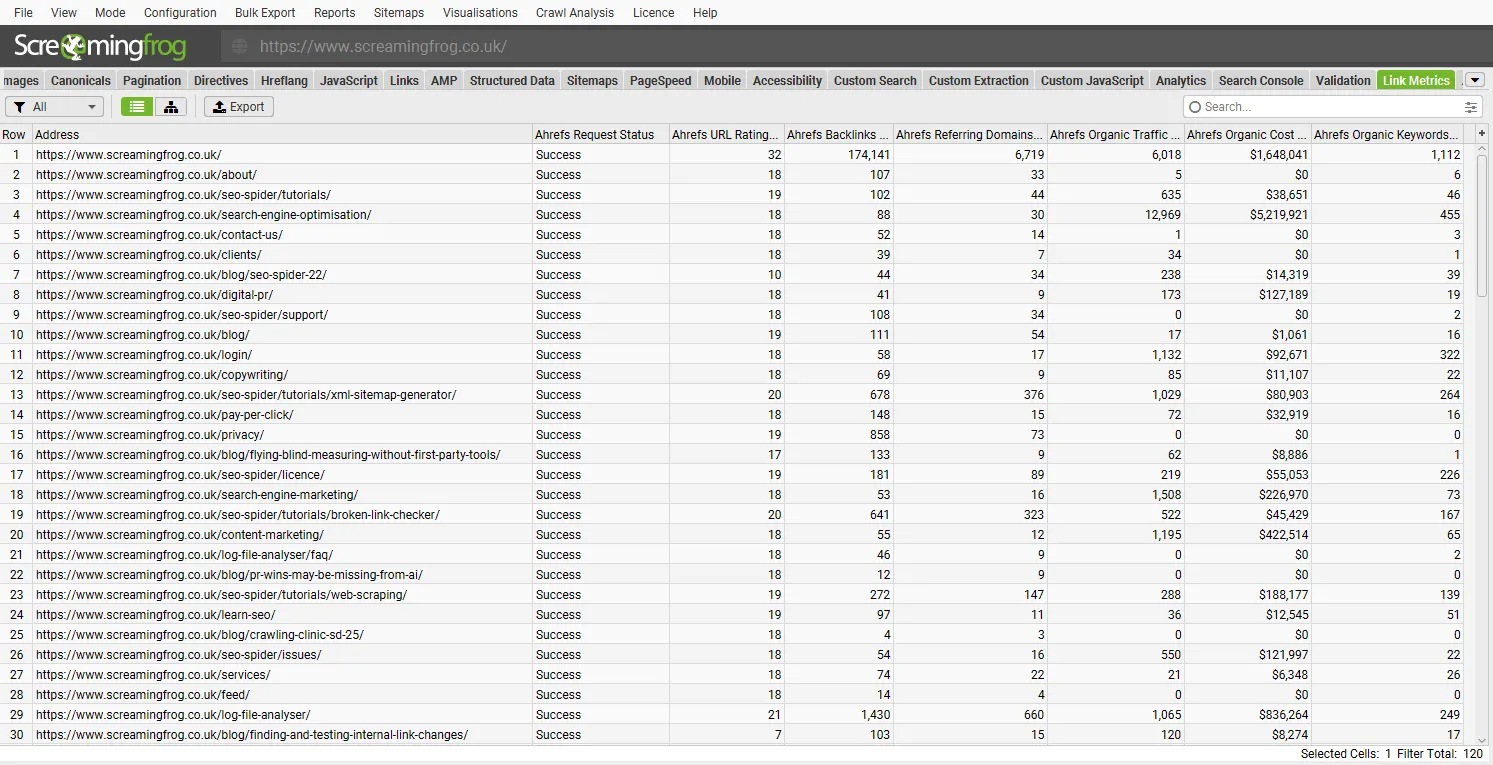
As we know, one of the most important API integrations is Ahrefs, which gives us a precise picture of the “backlink profile” of our site or e-commerce store. Screaming Frog version 23 has been updated for compatibility with version 3 of the API, after the announcement that v2 would be retired and Ahrefs Connect introduced.
Now all users on any paid plan can use this integration. Authentication uses a new OAuth flow.
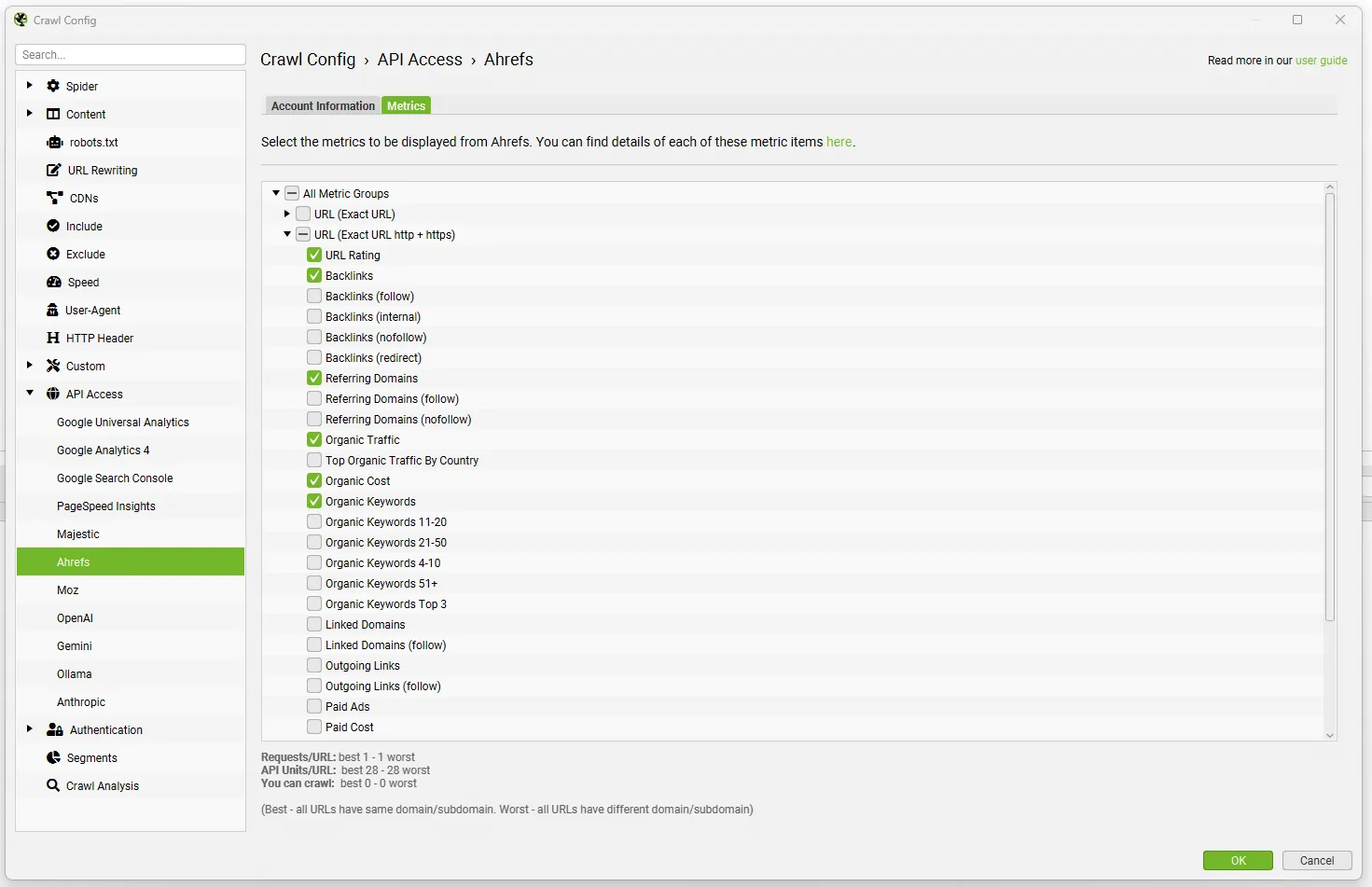
You can get data on backlinks, referring domains, UR, DR, organic traffic, keywords, cost and more.
Some parameters have been added, renamed or removed. Details are in the Ahrefs integration user guide.
Automatic crawl deletion (Crawl Retention)
As we know, crawls are saved automatically and managed from the 1File›2Crawls menu in database mode.
Until now the only way to delete them was manually, and personally I did it very rarely, clogging up my computer’s storage.
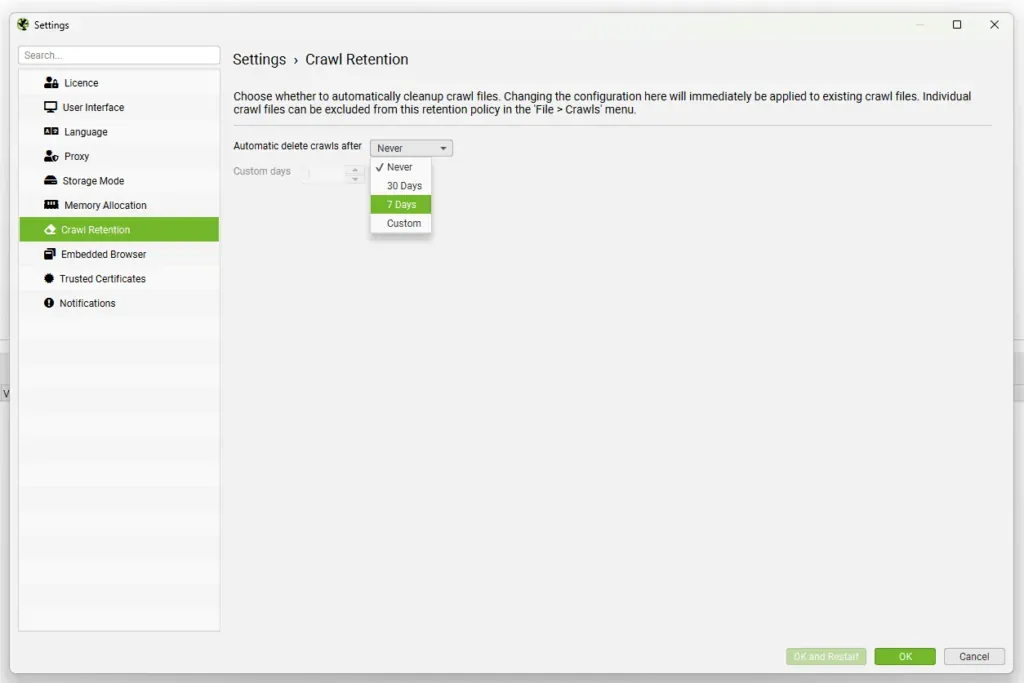
Now you can automate crawl deletion with the new Crawl Retention settings, in File > Settings > Retention.
By default automatic deletion is off (“Never”), so you don’t accidentally delete files that might be important and useful in the medium to long term.
This feature is handy if you don’t want to keep crawls for a long time but still want the performance of database storage.
Crawl Retention offers 4 options:
- Never (file deletion disabled – default);
- 30 days;
- 7 days;
- Custom.
The “Lock” option is the most interesting part of Crawl Retention, because it lets you protect specific projects or individual crawls from automatic deletion.
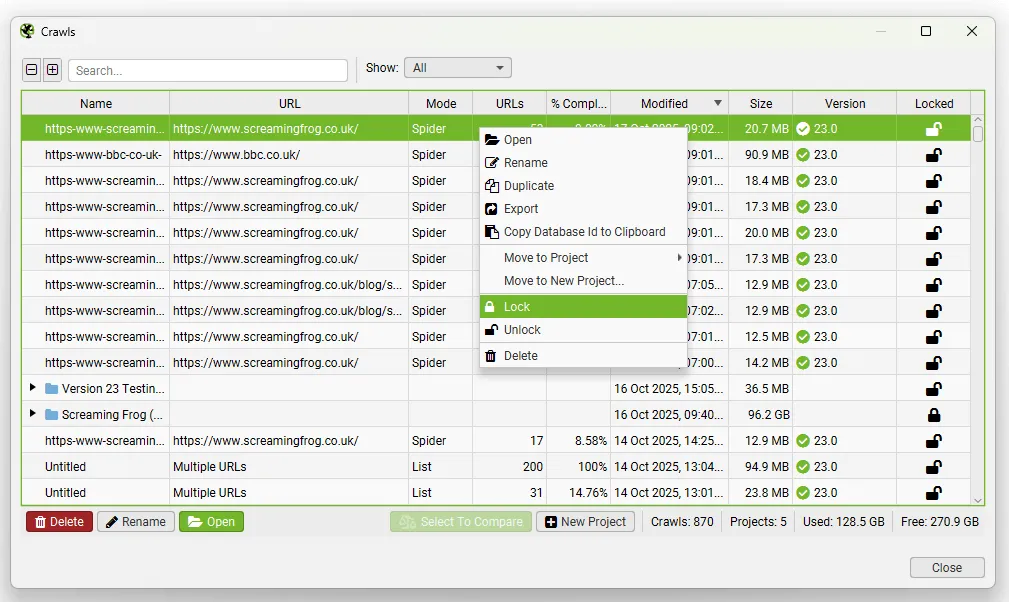
Embedding rules for semantic similarity
You can now configure embedding rules in 1Configuration›2Content›3Embeddings to define URL patterns to include in the semantic similarity analysis.
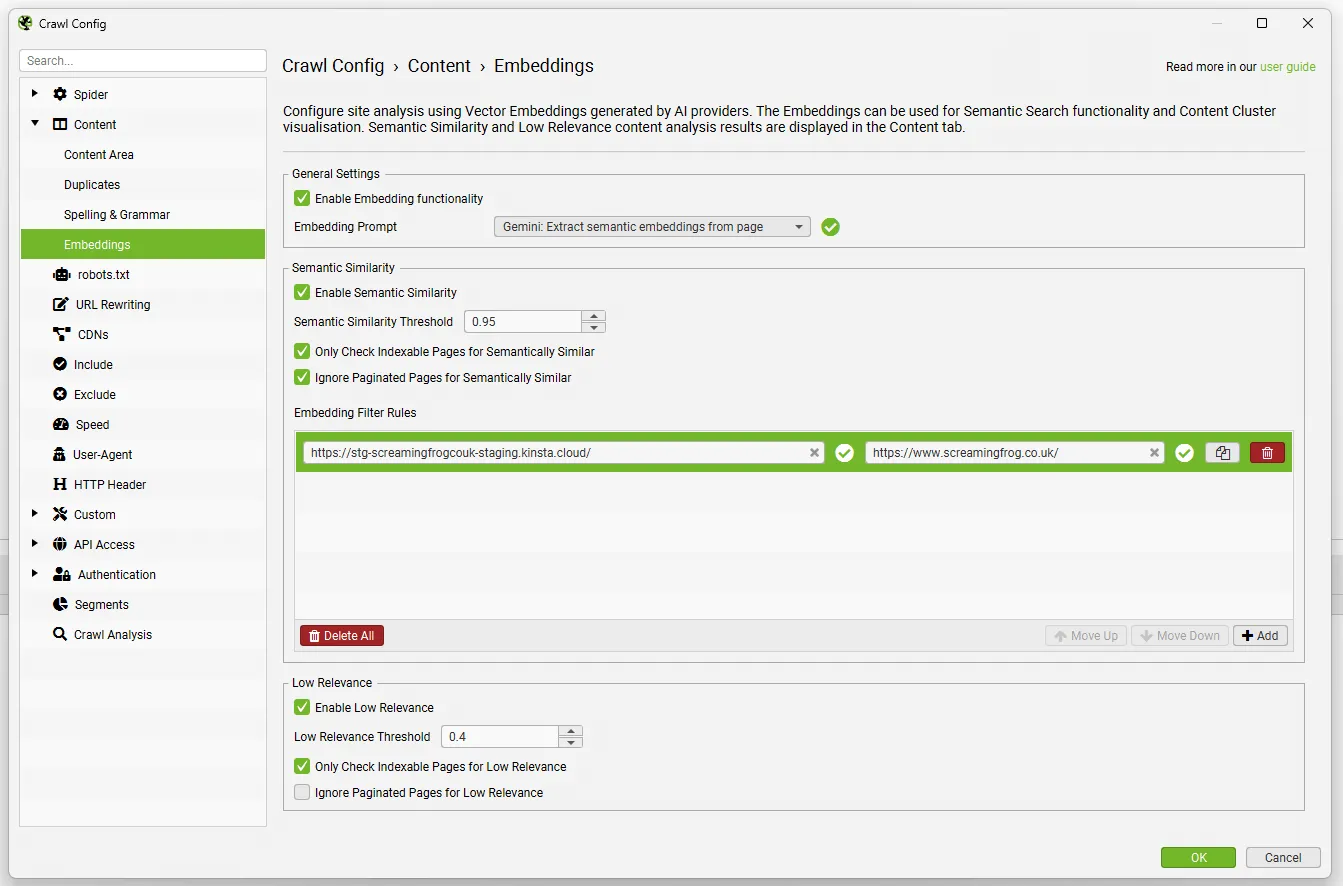
For example, during redirect mapping you can limit the search for semantically similar pages to staging and the live site only, excluding the rest of the domain.
These rules can also be used to compare specific sections of a site or for analysis between internal and external pages, saving Screaming Frog crawl budget (in terms of time).
All links available in Visualisations
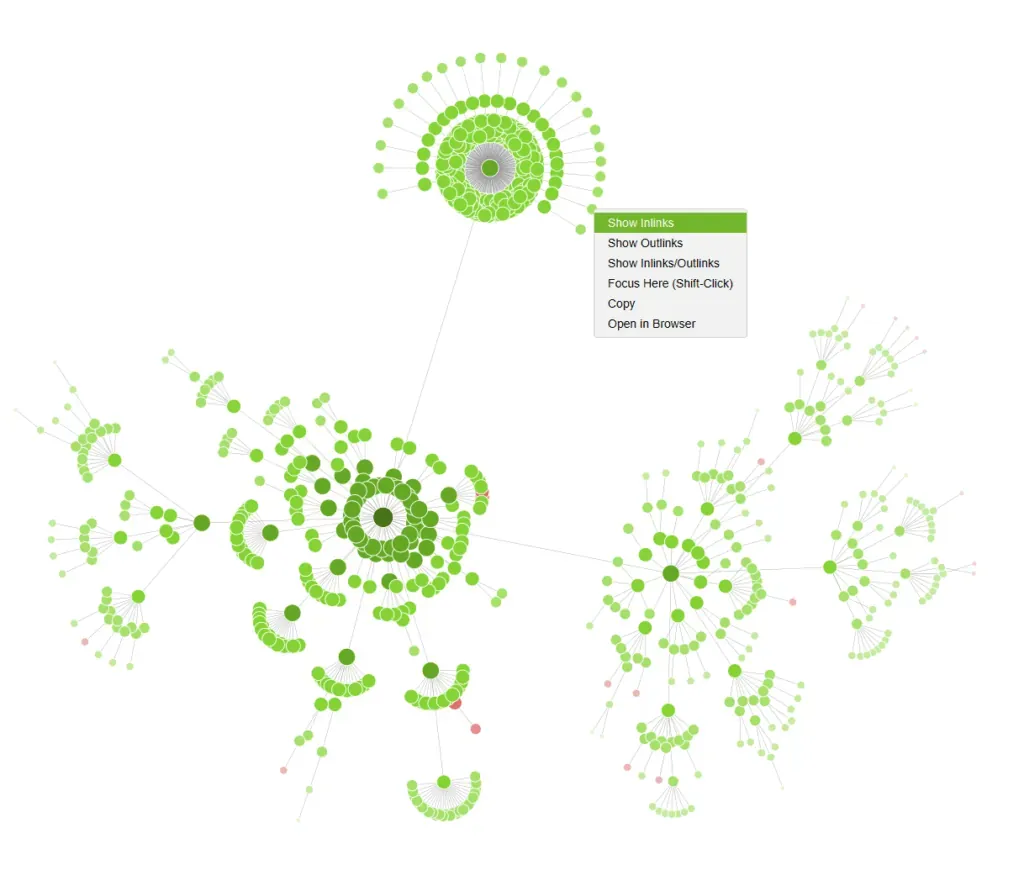
From Screaming Frog version 23 you can see all inlink and outlink relationships in the visualisations (1Visualisations menu).
Just right-click a node and choose:
- “Show Inlinks”;
- “Show Inlinks to Children”;
- “Show Outlinks”.
Linked nodes are highlighted in green, while the others are greyed out.
This feature is available in all visualisations, including the 3D ones.
Link visualisation in semantic clusters
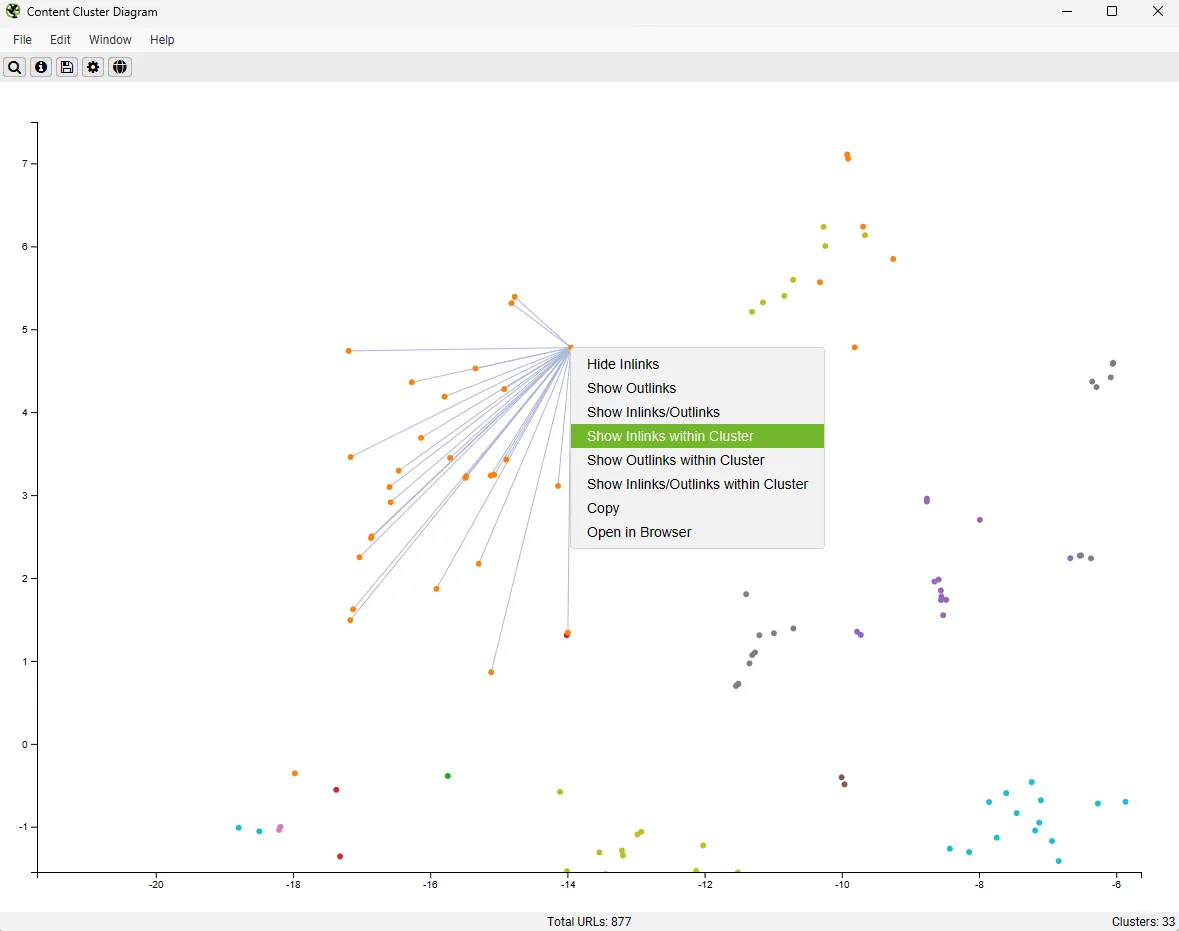
As with the site visualisations, you can now show internal links in the Semantic Content Cluster Diagram too.
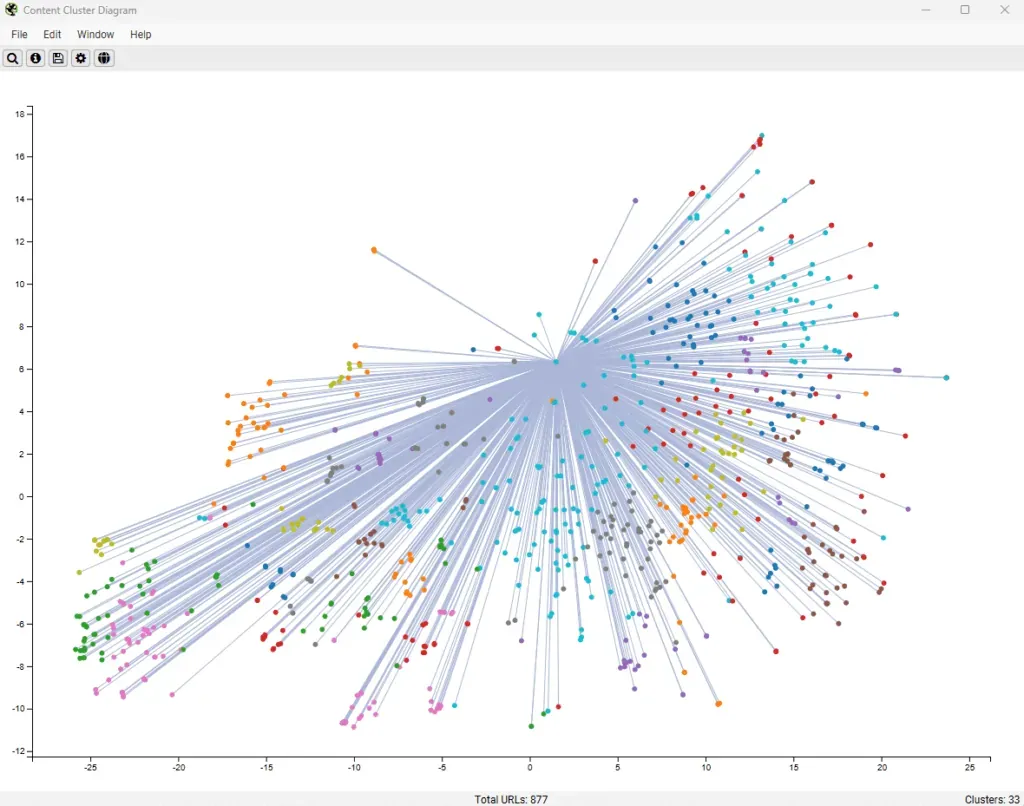
You can view:
- All internal links to a page, or
- Only “Inlinks Within Cluster”, to identify links between semantically related pages.
This helps you spot semantic internal linking opportunities or gaps.
Screaming Frog: other v23 updates
Version 23.0 also brings small improvements and bug fixes:
- Limit Crawl Total Per Subdomain: sets a URL limit per subdomain.
- Improved Heading Counts: the “Occurrences” count for h1 and h2 now shows the total, not just the first two.
- Move Up & Down for Custom Search, Extraction & JS: you can reorder customisations without deleting them.
- Configurable Percent-Encoding URLs: choose upper or lower case to avoid redirect errors.
- Irish language support for spelling and grammar.
- Updated AI models: OpenAI gpt-5-mini, Gemini gemini-2.5-flash, Anthropic claude-sonnet-4-5.
- New reports and exports: “All Error Inlinks” and “Redirects to Error”, including 4XX/5XX codes.
- New Redirection filter (HTTP Refresh).
Conclusions
Screaming Frog SEO Spider version 23 marks an important step forward, especially for its alignment with the latest Lighthouse changes, the Ahrefs API update and the new management and visualisation tools.
These changes simplify SEOs’ day-to-day work and make the crawler even more powerful for technical and performance analysis.
The combination of semantic auditing, automatic crawl management and new link visualisations confirms the software’s direction towards an ever more analytical, scalable, AI-supported approach.
As always, the Screaming Frog team invites users to test the new version, share feedback and report any bugs to keep improving one of the most loved and reliable tools in SEO.
Happy crawling, everyone!
Questions about Screaming Frog – Version 23.0?
These guides come from real projects. If something in your crawl doesn’t add up, or you want to apply this process to your site, get in touch.
 Author.Raffaele Visintin.Search & Strategic Marketing Advisor