

Getting Started with Screaming Frog.
Discover how SEO Spider is laid out and start exploring Screaming Frog’s features.
A map of SEO Spider for beginners: main menu, crawl modes, configuration, top and bottom tabs and the side panel. The starting point for finding your way around the interface.
The SEO Spider console
An overview of the SEO Spider console and the main areas you’ll use during SEO audits.
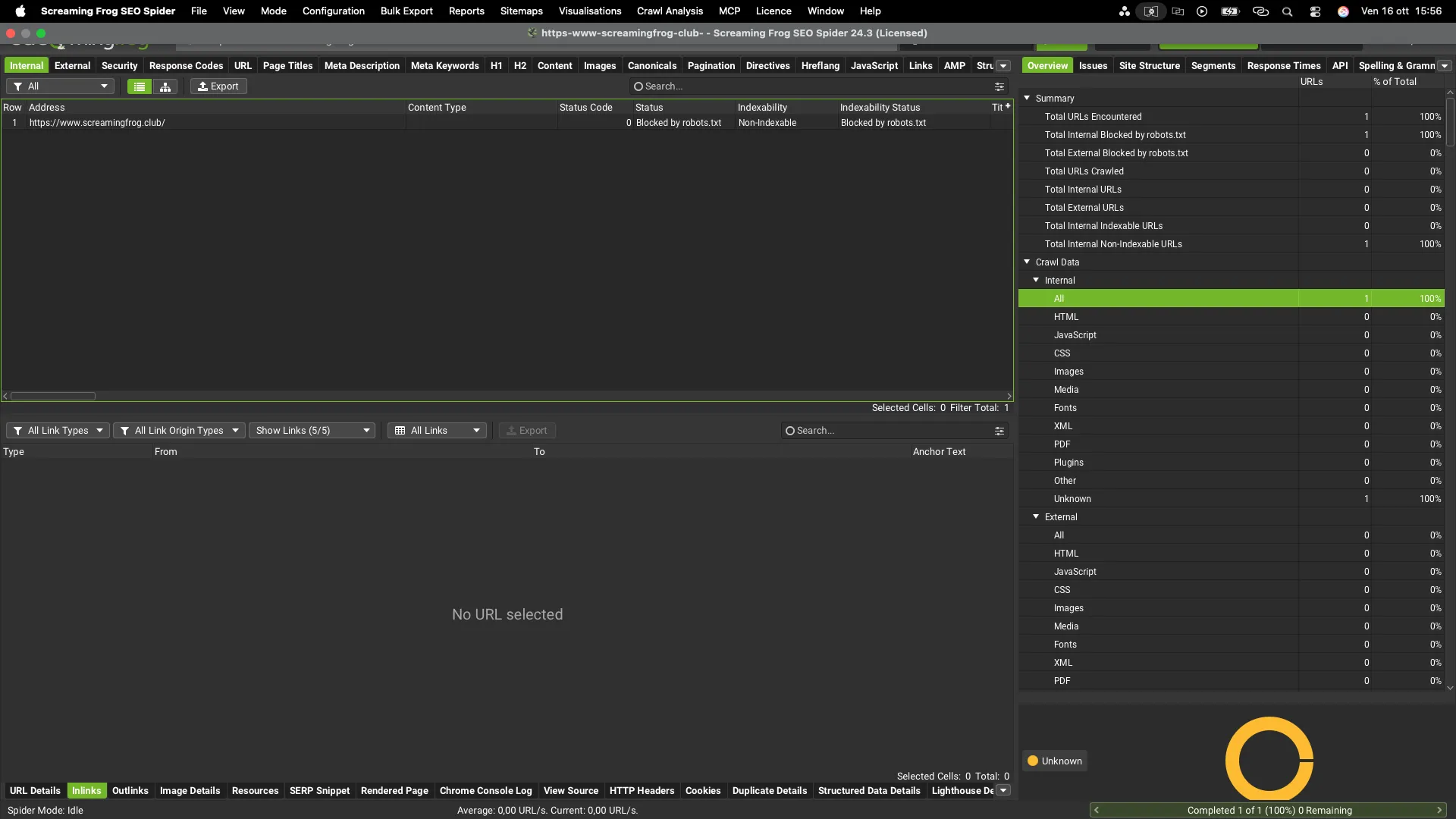
Main menu
This is the heart of the console: it lets you manage the most important settings that will shape your technical SEO audit.
File
You can create a new project, open crawls saved in “Database Storage” mode (Crawls) or recently opened ones (Open Recent), import and export crawls and configurations, manage crawl scheduling (Scheduling) and change the default crawl configuration, including creating several ready-to-use custom profiles.
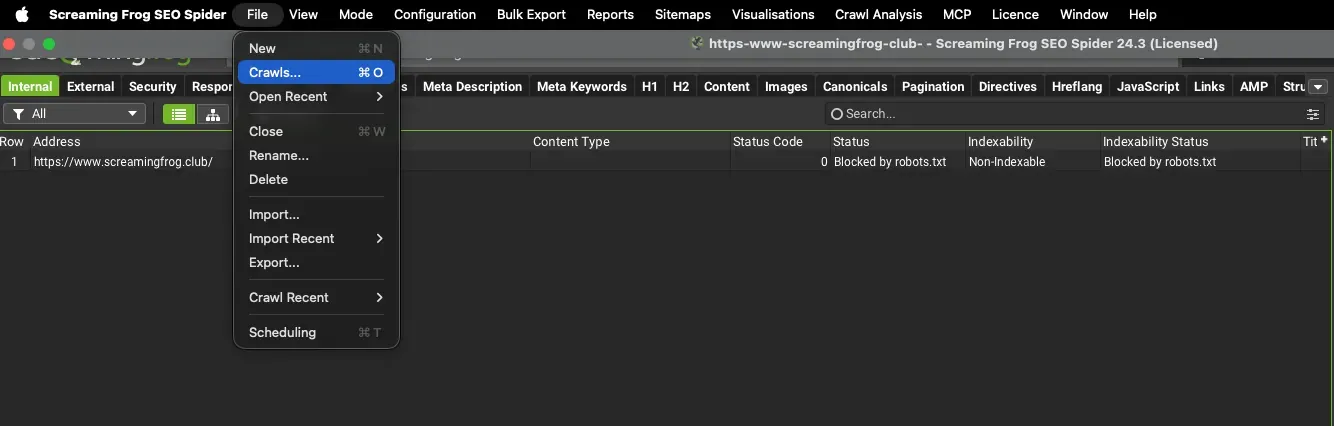
Mode
Lets you choose which crawl mode to use.
- Spider: the default mode for a full crawl of a website.
- List: lets you run targeted crawls from lists of URLs that you upload manually or paste into SEO Spider.
- SERP: gives you a preview of snippets by uploading a tabulated .csv or .xls file.
- Compare: compares two previous crawls and analyses the differences in URLs and filters (useful for staging vs live sites, desktop vs mobile and so on).
- APIs: queries the connected APIs directly (for example Search Console or PageSpeed Insights) for a list of URLs, without crawling the pages.
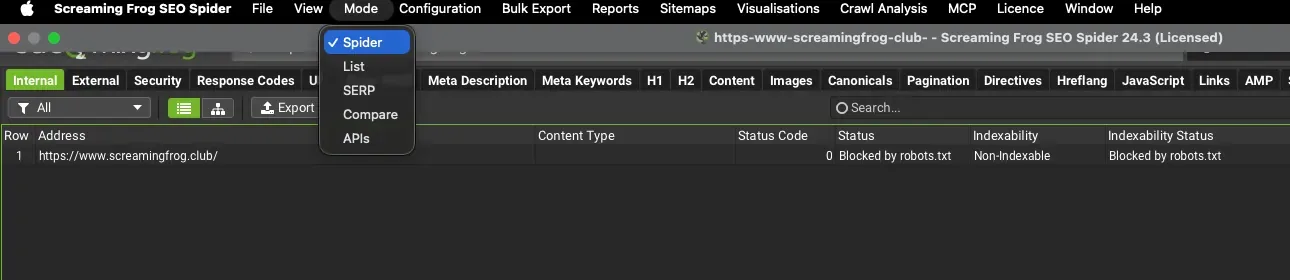
Configuration
This menu item is one of the most important in SEO Spider: it’s the console’s engine, giving you a whole range of customisations for advanced SEO audits and connections to external services such as Google Analytics, Search Console, PageSpeed Insights, Moz and Ahrefs.
- Spider: controls how the Spider behaves, which resources it crawls and how far it goes, sets the parameters of some filters and decides whether to crawl static HTML or include JavaScript rendering.
- Content: defines the area where SEO Spider examines content, sets the tolerance thresholds for treating content as duplicate and offers options on the dictionary used for spelling and grammar checks.
- robots.txt: lets you customise the robots.txt file by editing it directly in SEO Spider, or set how the Spider should treat it. In short, you decide whether SEO Spider follows the directives or ignores them.
- URL Rewriting: lets you rewrite URLs before crawling. Very useful to avoid parameterised URLs in the crawl results and for other advanced best practices using Regex syntax.
- CDNs: lists the CDN domains to treat as internal.
- Include/Exclude: include or exclude URLs from the crawl by setting Regex rules you can tailor to the focus of your analysis.
- Speed: sets the Spider’s crawl speed; very useful to avoid overloading the server of the site you’re analysing.
- User-Agent: as you know, Screaming Frog emulates a spider; with this option you choose which user agent to crawl with — Googlebot, Googlebot Smartphone, Bingbot, Baidu, Yandex and so on — depending on your market and focus.
- HTTP Header: lets you set custom HTTP header options.
- Custom: lets you crawl specific HTML elements and extract them as you like for a highly customised analysis. Also very useful to define where links sit within the HTML document.
- API Access: sets up API connections to services such as Google Analytics, Search Console, PageSpeed Insights, Ahrefs, Majestic, Moz and AI models. Extremely useful integrations for complete SEO audits with granular data.
- Authentication: lets you crawl a website that requires authentication.
- Segments: groups URLs into custom segments to use in filters and reports.
- Crawl Analysis: chooses which calculations to run at the end of the crawl.
- Profiles: saves and loads ready-to-use configuration profiles.
Data storage mode (Memory or Database Storage) is no longer in this menu: you’ll find it in 1File›2Settings›3Storage Mode.
Bulk Export
The items in this menu let you download almost all the most important data from your crawls. The files are in “.csv”, “.xlsx” and “.gsheet” format. These are the exports available:
- Multi-Export;
- Queued URLs;
- Links;
- Web;
- Path Type;
- Security;
- Response Codes;
- Content;
- Images;
- Canonicals;
- Directives;
- JavaScript;
- AMP;
- Structured Data;
- Sitemaps;
- Custom Search;
- Custom Extraction;
- URL Inspection;
- Accessibility;
- Issues;
- AI.
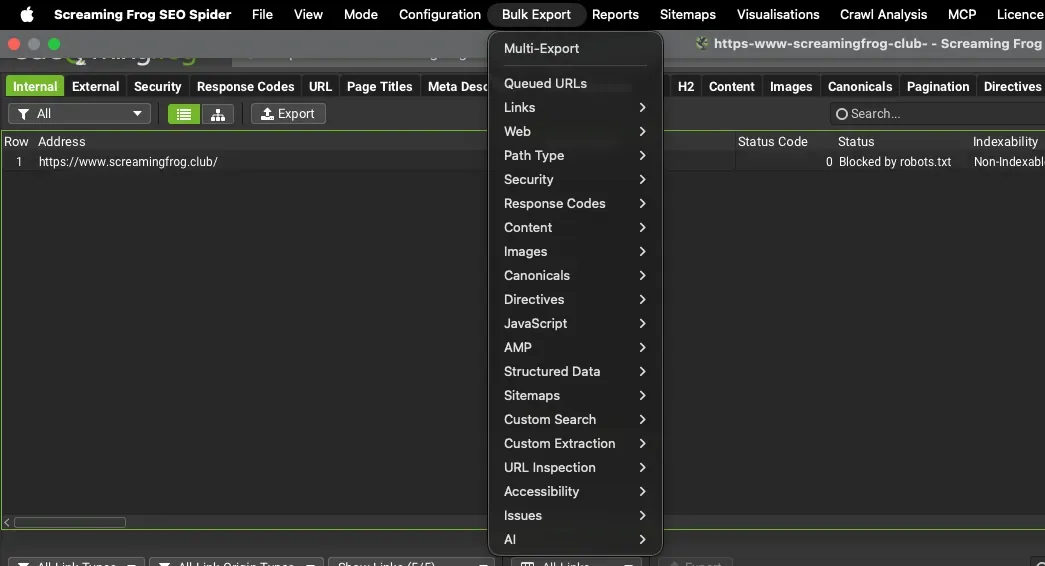
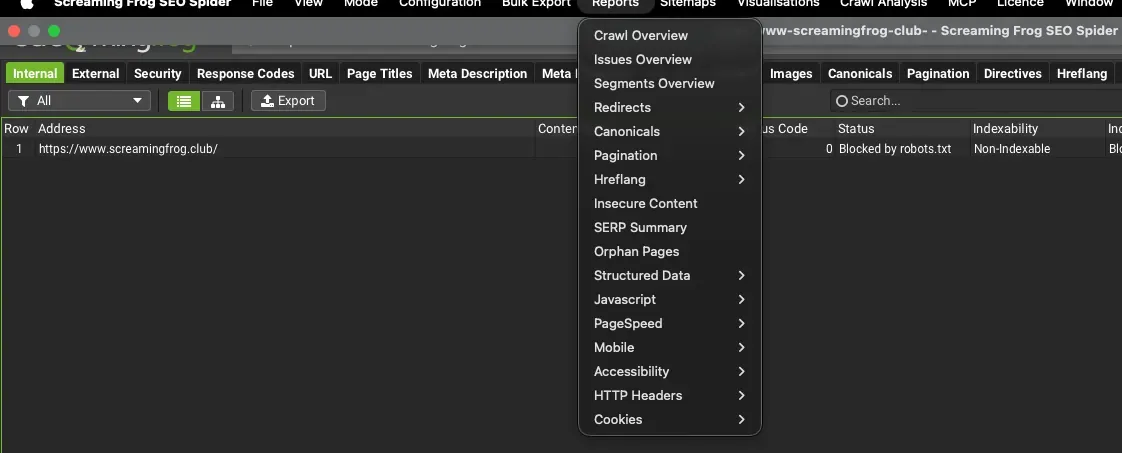
Reports
This menu gives you a whole set of reports focusing on redirects, canonicals, pagination, insecure content, orphan pages, structured data and much more useful information to export and work on during SEO optimisation.
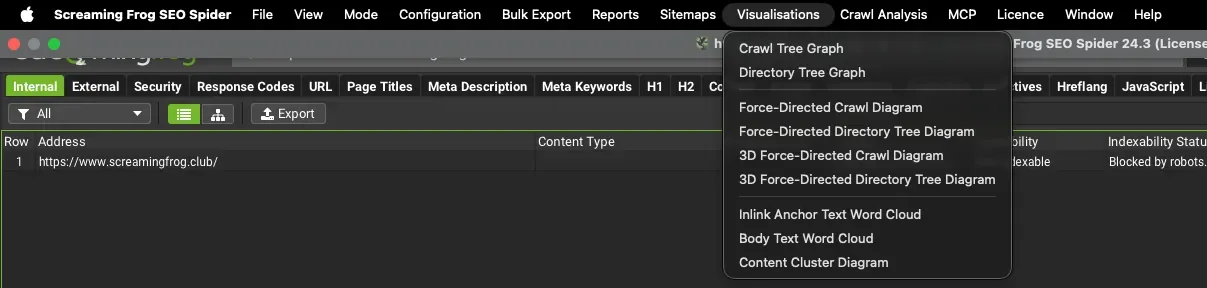
Visualisations
This feature lets you view URL data in a very intuitive, striking way through different charts. The visualisations are interactive and ideal for focusing on individual nodes or folders of the site structure for more specific, precise control.
Crawl Analysis
With crawl analysis you can analyse, at the end of the crawl, metrics that need extra calculation on the collected data (e.g. “Link Score”, some Sitemap aspects, orphan pages and so on).
From the menu you can start Crawl Analysis (Start), stop it (Stop) and configure which elements it applies to, or run it automatically at the end of the crawl (Configure).

Licence and Help
These are the last menu items, for entering your Screaming Frog licence and for links to further documentation and support.
The areas of the console
Top tabs
This section includes a set of tabs filled according to different analysis goals. For example, it groups URLs by Response Code, Meta Description and Title, Directives and so on.
Each tab is covered in the following sections of this guide.
Top window
This is SEO Spider’s main screen, filled with the URLs discovered during the crawl and all their details. Remember that each URL can be filtered with the “Data filters” in the various top tabs.
Bottom tabs
This area gives a closer look at the results in the top window and fills whenever you select one or more URLs there. Here you’ll find details on Inlinks, Outlinks, images and much more. As before, each tab is documented in detail in the following pages.
Side panel
This area of SEO Spider gives you a very useful preliminary, aggregated view of the crawl. The Overview tab shows absolute and relative data for each crawled element, Issues lists the problems found by priority, Site Structure shows the site architecture by “Crawl Depth”, Segments shows segment data, Response Times groups response times into ranges, API shows the progress of connections to third-party services and Spelling & Grammar summarises the errors found in the content.
Further readingSide panel.The overview of crawl data in the SEO Spider side panel, tab by tab.Read the overviewVideo tutorials (in Italian)
Screaming Frog overview
SEO Spider user interface
Configurations and profiles
Questions about Getting Started with Screaming Frog?
These guides come from real projects. If something in your crawl doesn’t add up, or you want to apply this process to your site, get in touch.
 Author.Raffaele Visintin.Search & Strategic Marketing Advisor
