

Screaming Frog Update – Version 21.
Screaming Frog version 21 is out: from artificial intelligence to email notifications.
What’s new in SEO Spider version 21 (“Towbar”): direct integration with the OpenAI, Gemini and Ollama APIs, accessibility checks with the AXE rules, email notifications and bulk upload of custom searches.
Screaming Frog
Screaming Frog version 21.0, called “Towbar”, is here, with new AI-related features and improvements that make SEO Spider the undisputed industry leader. The most significant is direct connection to the OpenAI, Gemini and Ollama APIs, which lets you create custom prompts based on crawl data: useful to generate alt text, detect inappropriate content and work with the data analysed in Screaming Frog, shaping the outputs for ever more advanced SEO audits. But Dan Sharp’s team didn’t stop there: they introduced other very interesting features I can’t wait to try in the field, such as accessibility checks with the AXE rules to improve inclusivity, email notifications when crawls finish and an option to bulk upload custom search filters, saving plenty of setup time.
AI API integration
Screaming Frog takes a big leap towards AI: version 21 allows direct integration with LLMs and querying crawl data through custom JavaScript.
With this update you can connect directly to the OpenAI, Gemini and Ollama APIs and set up custom prompts using the data from the crawl.
You can configure up to 100 custom AI prompts in 1Configuration›2API Access, for complete, advanced SEO audits that make full use of artificial intelligence.
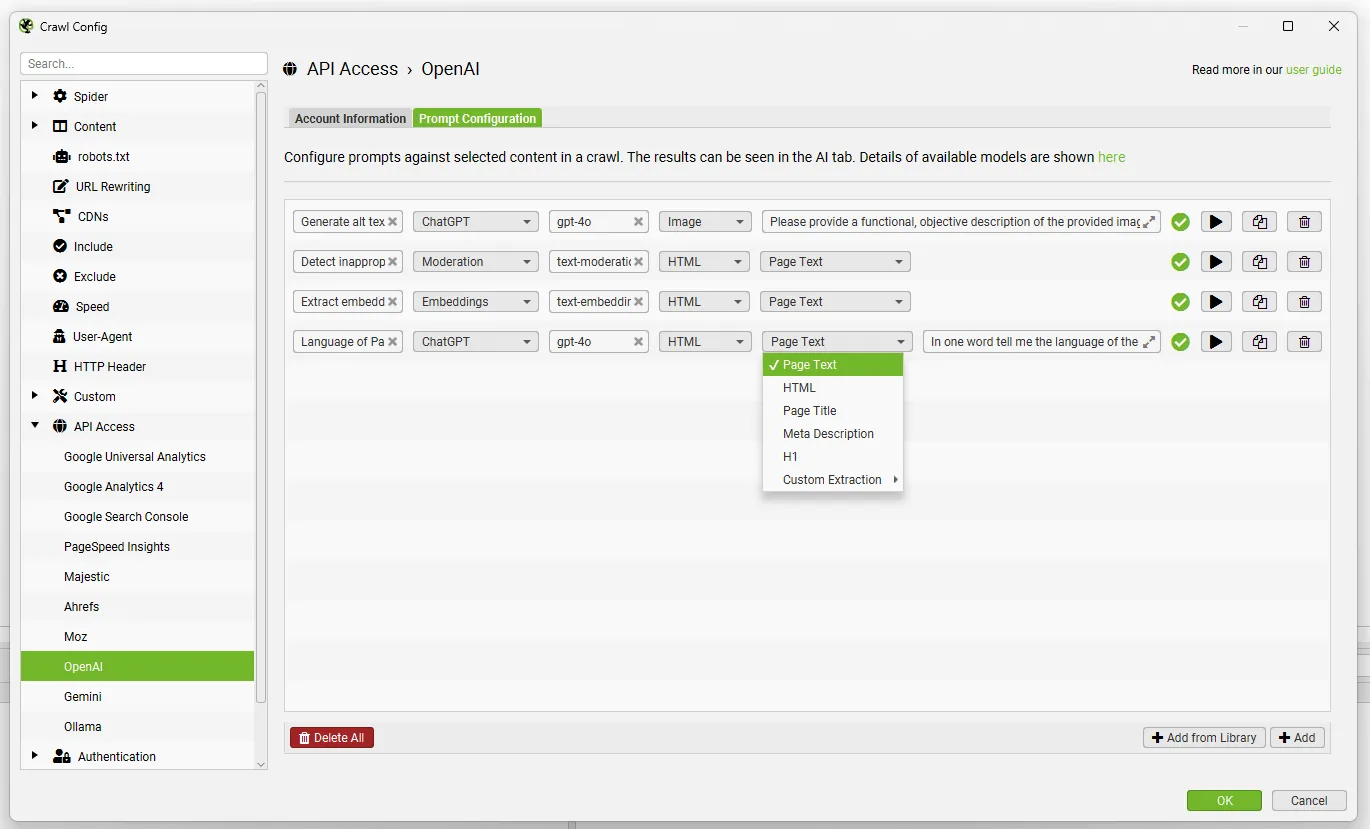
You can select the model category, the AI model, the content type and the data to use for the prompt, such as body text, HTML or a custom extraction, and write your own custom prompt.
SEO Spider automatically handles each model’s throttling, and the data appears in the tool’s new AI tab as well as in the Internal tab.
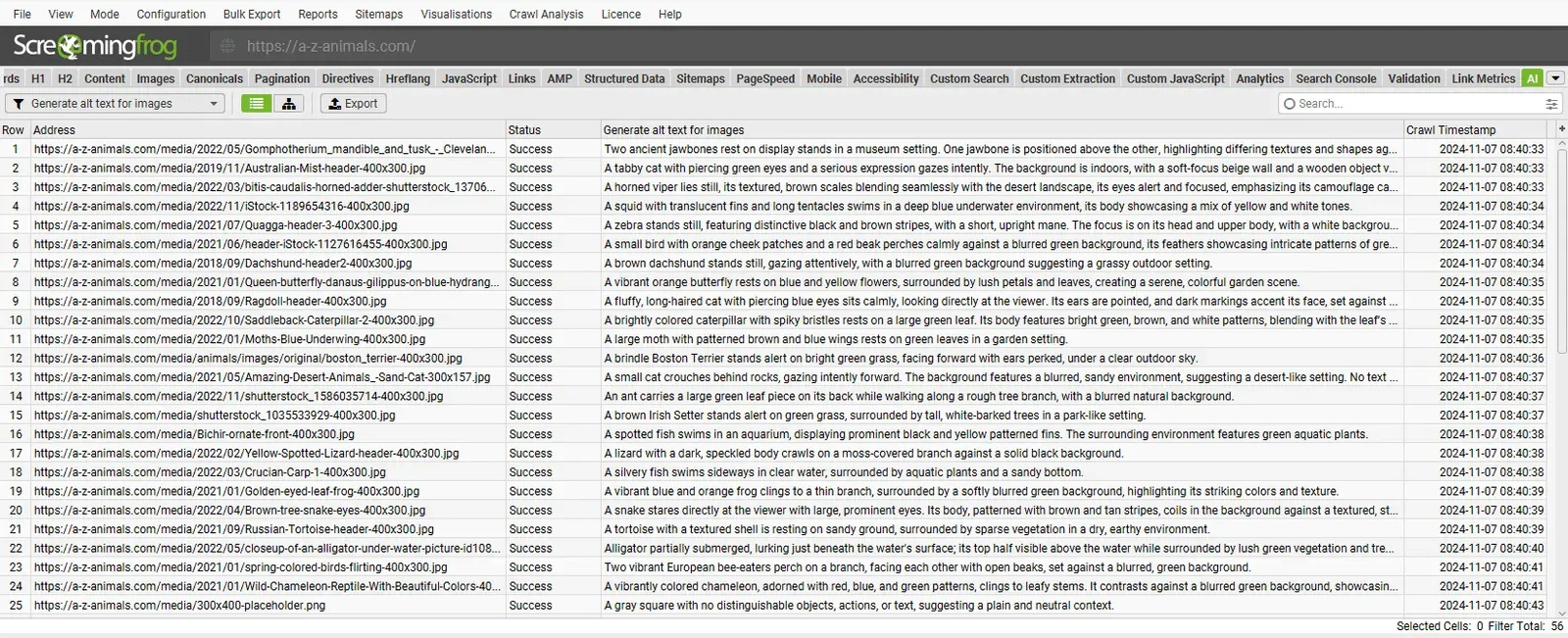
Like the custom JS snippets already in earlier Screaming Frog versions, this feature lets you create alt text at scale, work out a page’s language, detect inappropriate content, extract embeddings and more.
The “Add from Library” feature includes many suggestions for inspiration, but you can add and customise your own to run custom audits for your projects.
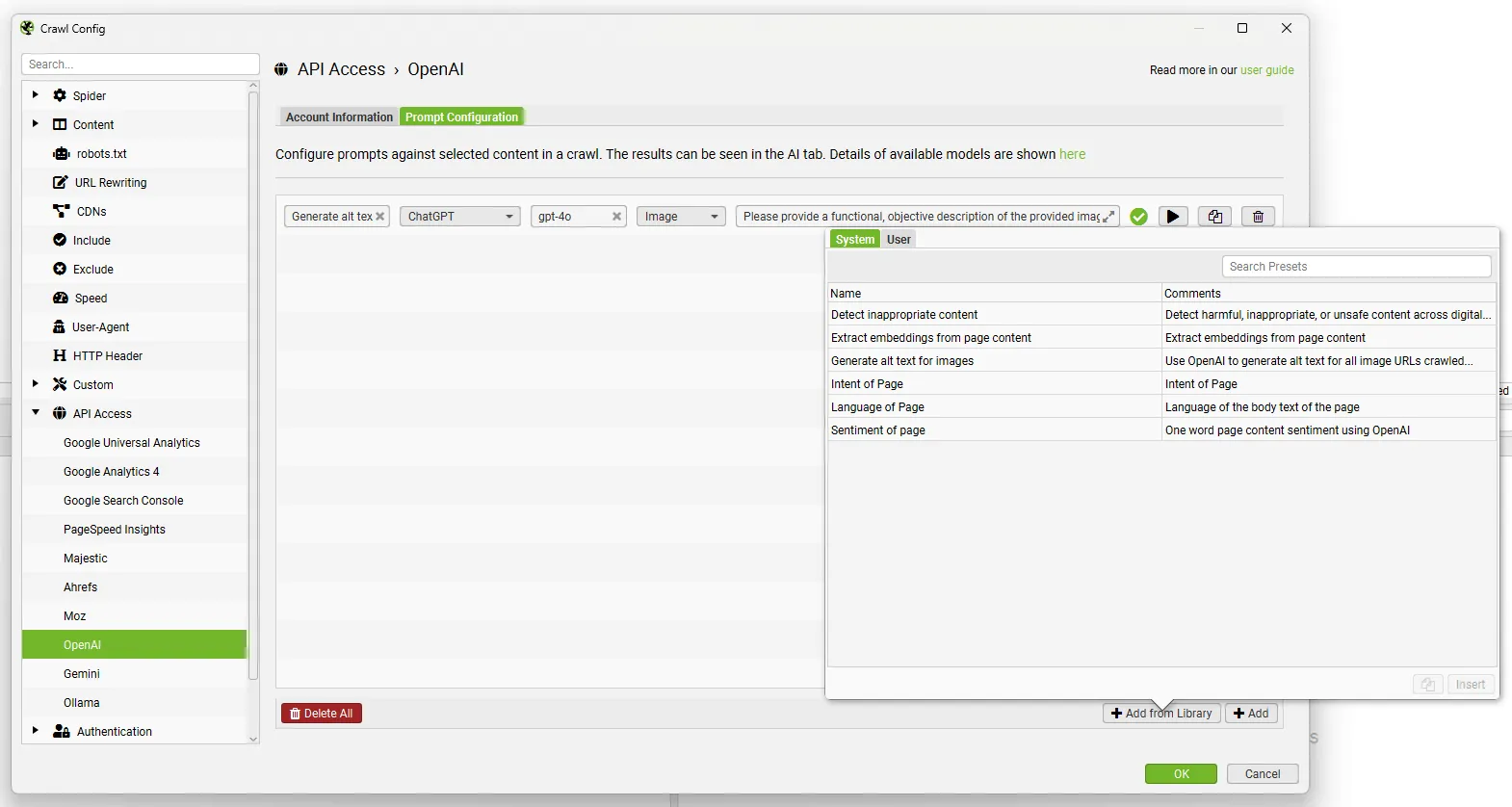
The advantages of direct integration over custom JS snippets can be summed up as:
- You enter the API key once per AI platform and it’s used for every prompt.
- No JavaScript to edit! Just pick the options from the drop-downs and type the prompt in the field.
- JavaScript rendering mode isn’t required: data can be returned in any crawl mode (text or JS).
- APIs are handled automatically according to their requirements.
This new AI integration should make creating custom prompts during crawls even more efficient.
Accessibility
Besides AI, SEO Spider can now check accessibility using Deque’s open-source AXE accessibility rule set for automated accessibility validation.
These rules power the best practices in Lighthouse and PageSpeed Insights. They should help users make their websites more inclusive, easier to use and accessible to people with disabilities.
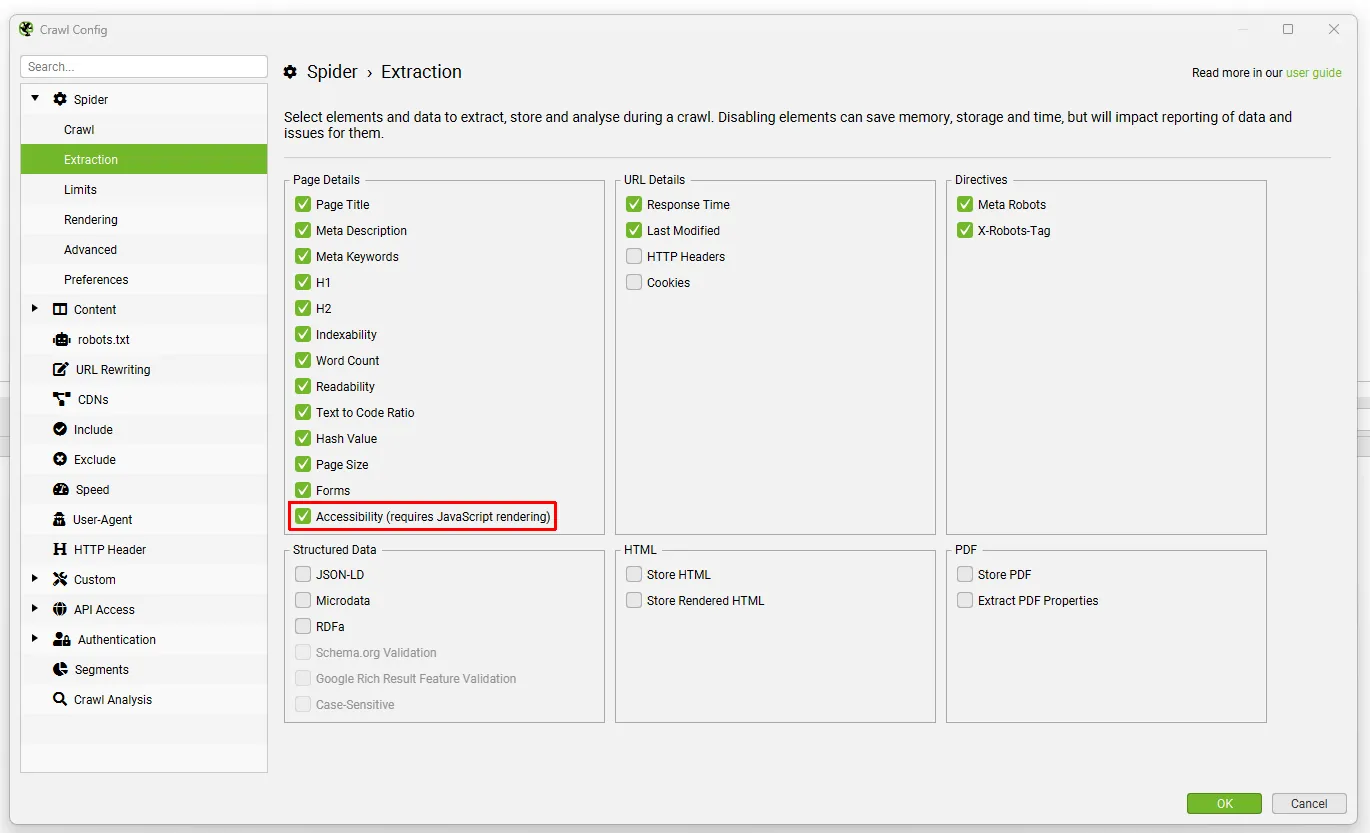
You enable this feature in 1Configuration›2Spider›3Extraction (under “Page Details”), and it requires JavaScript rendering to populate the new Accessibility tab.
The Accessibility tab reports the number of accessibility violations at different conformance levels, based on the Web Content Accessibility Guidelines (WCAG) set by the W3C.
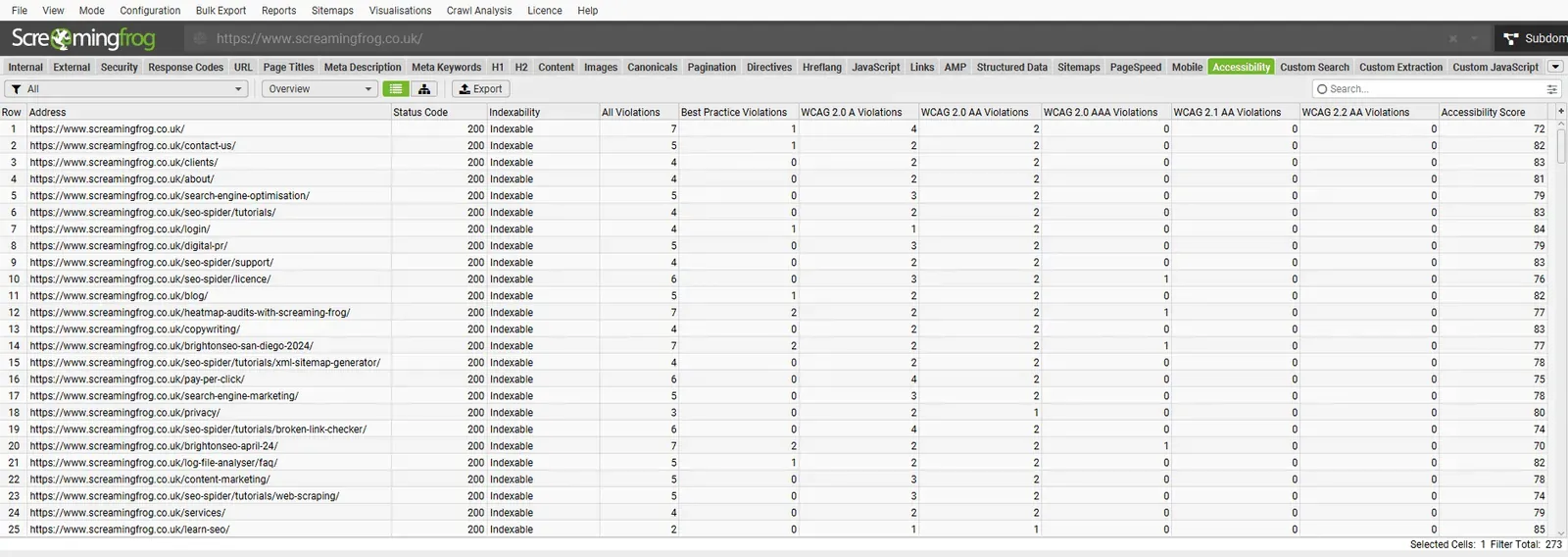
An accessibility score for each page can also be collected by connecting to Lighthouse via PageSpeed Insights (1Configuration›2API Access›3PageSpeed Insights).
WCAG conformance levels build on each other, from WCAG 2.0 A to 2.0 AA, then 2.0 AAA, before 2.1 AA and 2.2 AA. To reach the highest level (2.2 AA) you need to fix every violation from the earlier versions.
The Accessibility tab includes WCAG filters with over 90 rules to meet at least this conformance level. A very detailed optimisation job that, as well as serving an ethical purpose, adds quality in search engines’ eyes.
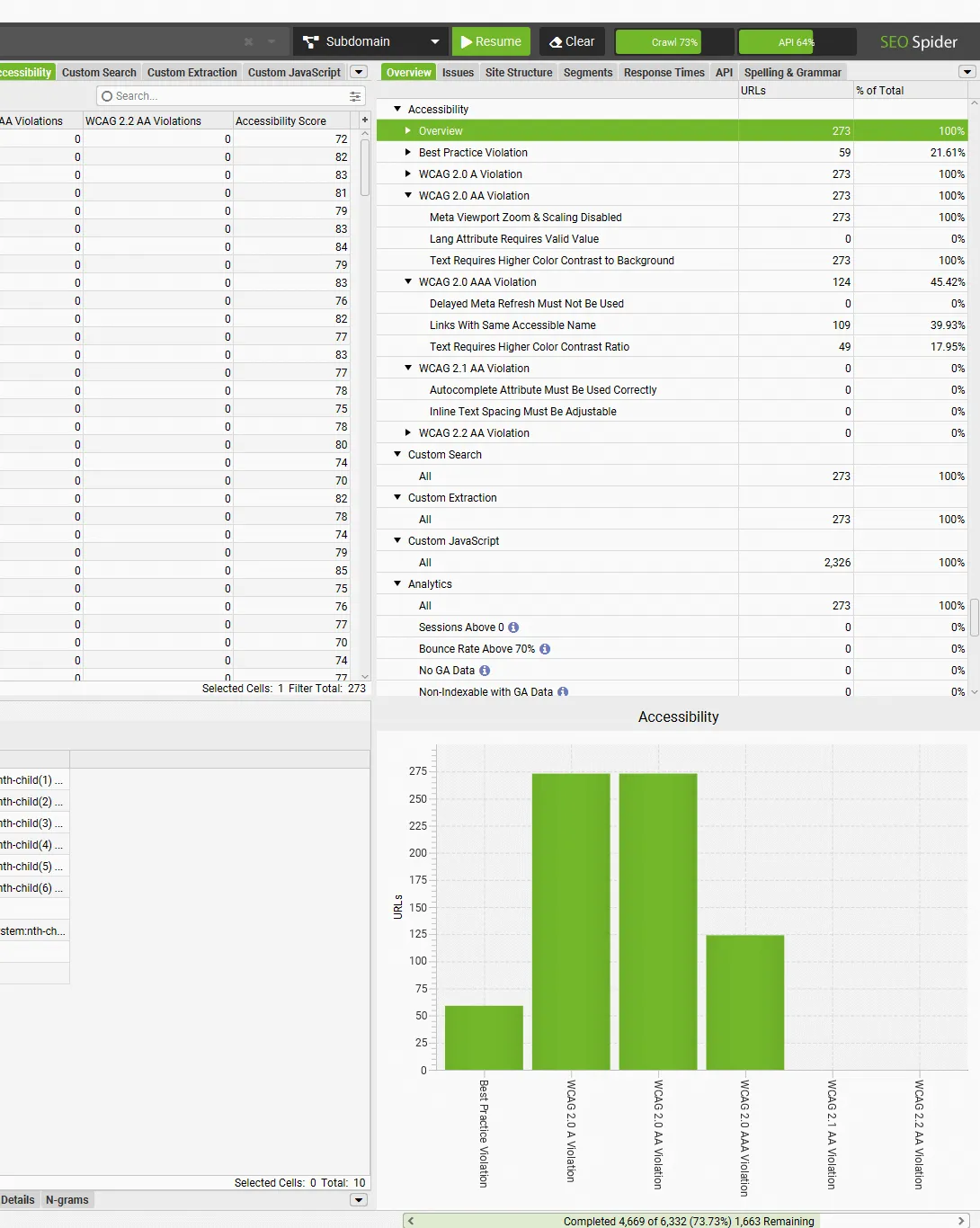
Besides the Overview tab, you’ll also find the issues in the “Issues” tab, split by type and priority. At the bottom of this tab you’ll see tips about the problem and possible fixes. In Screaming Frog’s bottom window you can dig deeper, seeing every single violation per page for targeted, precise fixes.
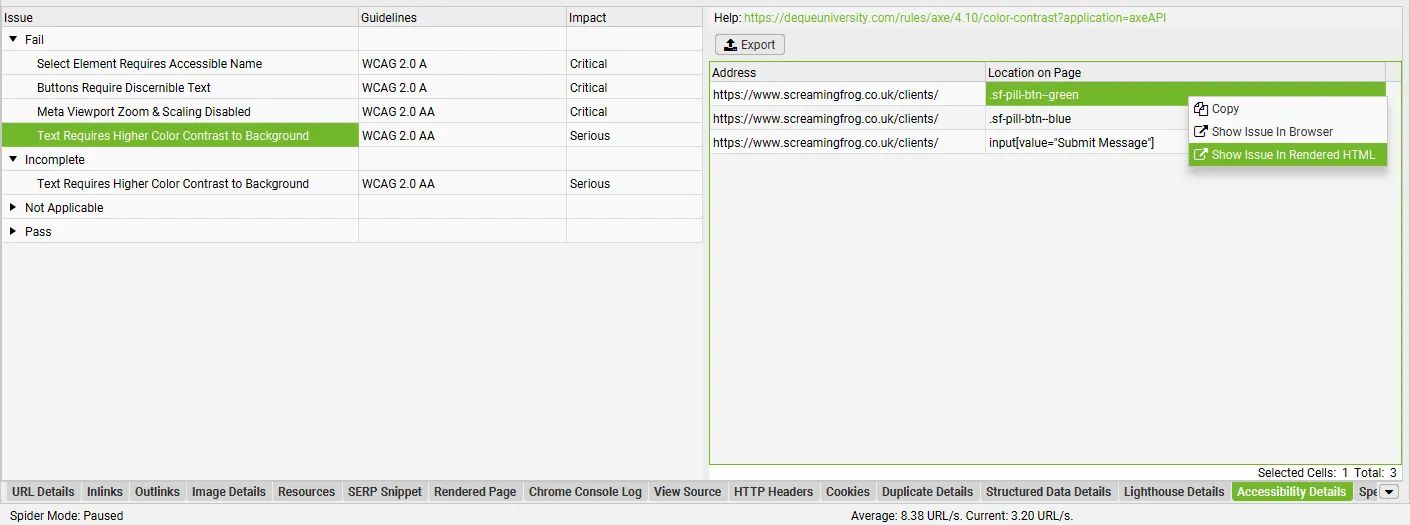
For a complete analysis, export the violations from the main menu with 1Bulk Export›2Accessibility›3All Violations.
Email notifications
The third feature in Screaming Frog version 21 lets you connect SEO Spider to your email account and send an email when a crawl is complete.
You set it up in “File > Settings > Notifications”.
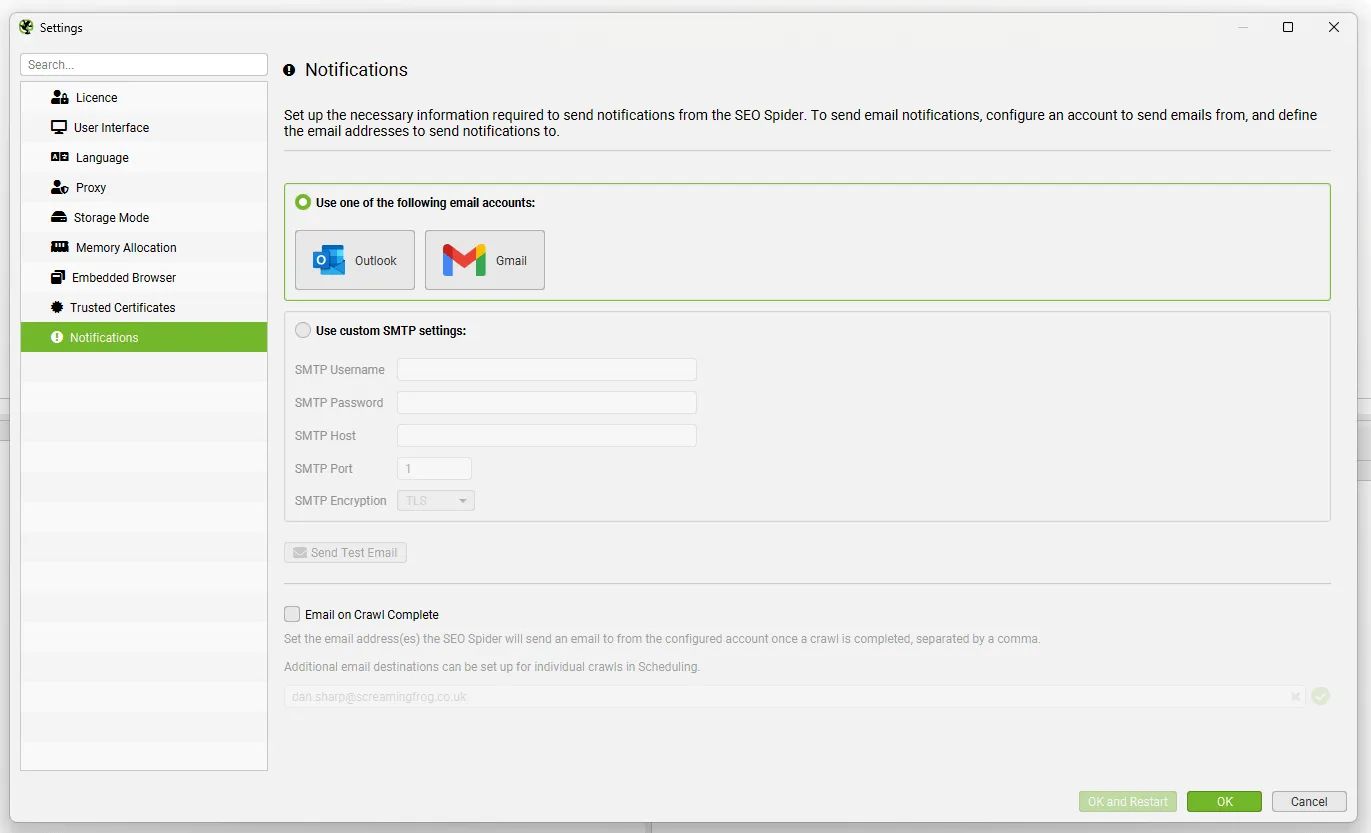
Email notifications are also supported in scheduling, thanks to a new tab in the dedicated pop-up, so you’re kept up to date on each scheduled task. The notification includes the project name, the crawled domain and other basic crawl information.
Bulk upload for Custom Search
The last new feature I want to mention is for Custom Search: from this version you can add searches with multiple inputs at once, up to 100. One use is internal linking analysis, searching for keywords that aren’t linked in anchors.
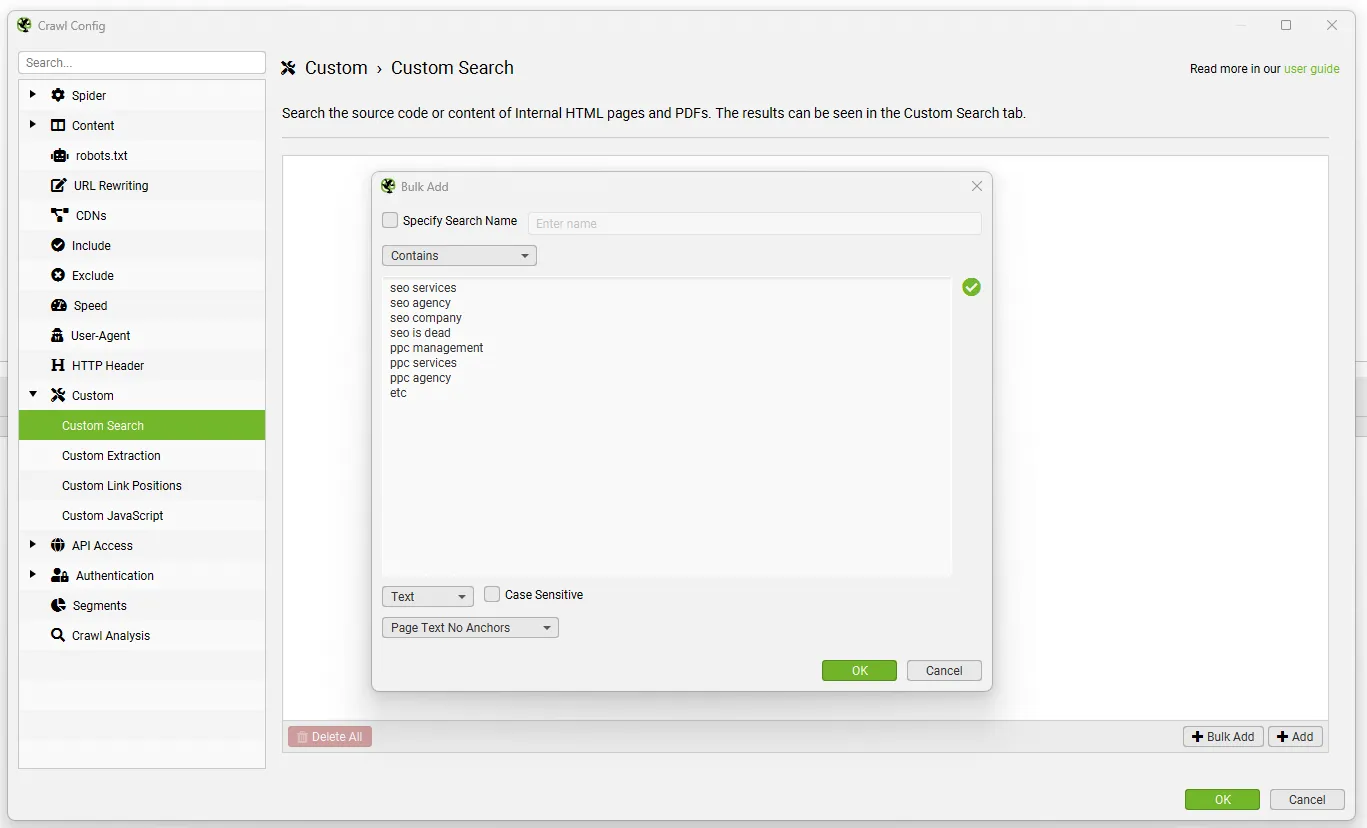
If you’ve never used this feature and want to see what it can do, read my guide to “Custom Search”.
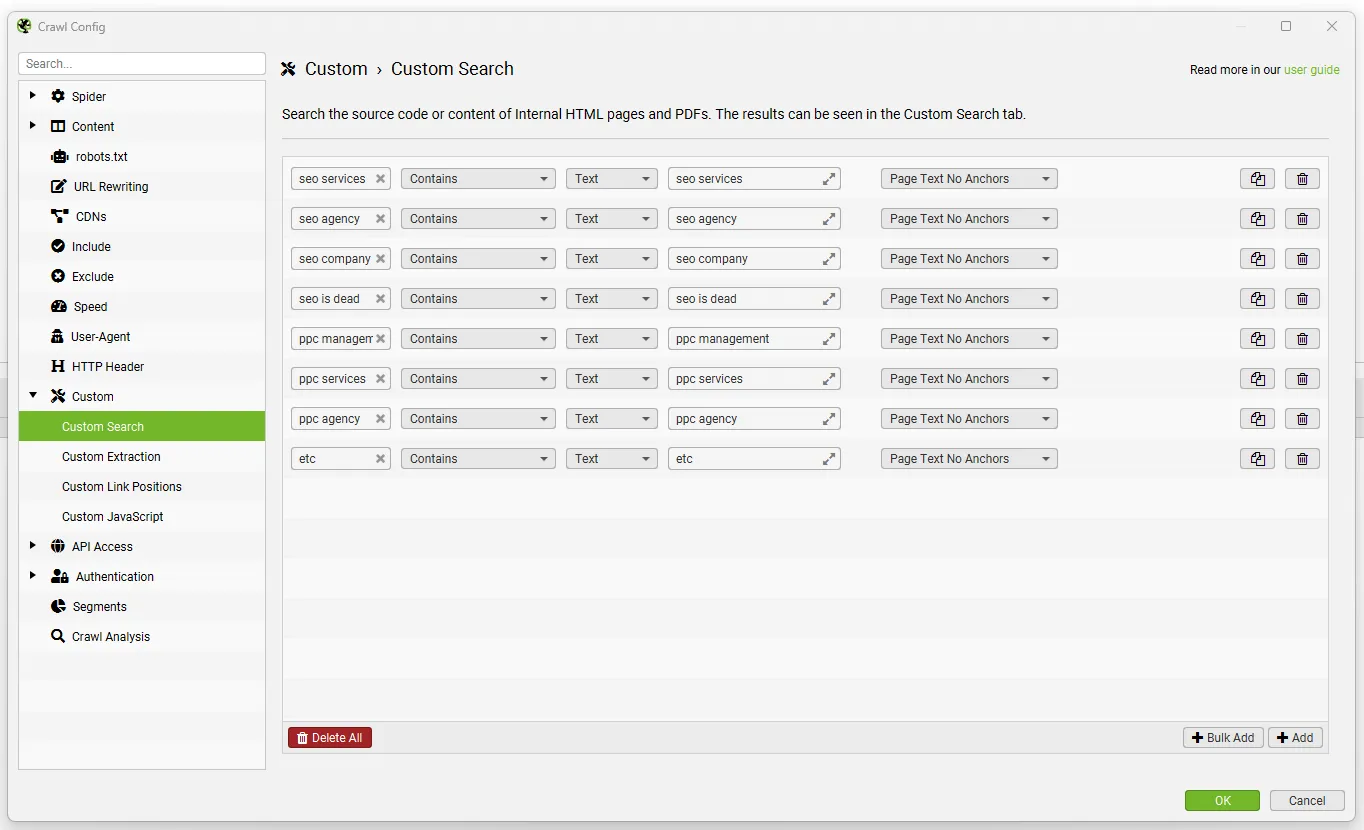
Alongside this shake-up, there were other minor updates:
- XPath updated to version 3.1;
- the Canonicals tab checks two new issues: URLs with fragments and invalid attributes in annotations.
Conclusions
This time Dan Sharp and his gang outdid themselves, and thanks to AI the opportunities for us SEOs have doubled. Screaming Frog has shown it always keeps up with change, and today more than ever SEO Spider belongs in every professional’s daily routine.
Questions about Screaming Frog Update – Version 21?
These guides come from real projects. If something in your crawl doesn’t add up, or you want to apply this process to your site, get in touch.
 Author.Raffaele Visintin.Search & Strategic Marketing Advisor