

What is a Soft 404?.
HTML pages that are empty or have no relevant information.
What a soft 404 is, why Google assigns it to empty or low-value pages and how it hurts rankings. See how to find potential soft 404s with SEO Spider by customising the check phrases.
Soft 404
A soft 404 is not an official response sent to the web browser, just a label Google applies to a page in its index.
As you know, Google allocates a crawl budget to every site it analyses and, to protect it, crawls empty, duplicate or low-value pages less often.
In other cases, some servers are misconfigured and return a 200 code for missing pages instead of a proper 404.
To deal with this, Google analyses the characteristics of pages and in some cases labels them soft 404.
Soft 404 pages can be generated by the web server, by your site’s content management system or by the user’s browser.
Some examples:
- A missing server-side include file.
- A broken database connection.
- An empty internal search results page.
- A JavaScript file that is missing or fails to load.
Besides the search engine’s view, which won’t index these pages because they are low value, this scenario worsens the page experience for users, who don’t find what they were looking for and are left uncertain. If the error is widespread across the site, rankings will suffer and organic traffic from the SERPs will drop.
The most critical case is when pages you consider valuable are labelled soft 404. Here, check how the pages render and make sure Googlebot can actually see the content and reach every element of the page. With Screaming Frog, set JavaScript rendering in 1Configuration›2Spider›3Rendering and compare the result with the raw HTML. I also recommend switching the user agent to Googlebot in 1Configuration›2User-Agent.
Further readingAnalysing JavaScript websites.How to crawl sites built with JavaScript (React, Angular, Vue) and compare the original HTML with the rendered DOM.Read the guideYou’ll find the list of soft 404 errors in the Google Search Console reports or by using Screaming Frog.
Finding soft 404s with SEO Spider
To analyse soft 404 errors, run a crawl with Screaming Frog and view the affected URLs in the Content tab with the Soft 404 Pages filter.
Once identified, you can export them with the “Export” button.
To see the URLs linking to soft 404 pages, use the “Inlinks” tab at the bottom of the window, and export them in bulk from 1Bulk Export›2Content›3Soft 404.
For an even more granular analysis, Screaming Frog lets you customise which content triggers a potential soft 404 warning, such as “page not found” or “no results found”.
SEO Spider already includes a list of the most common phrases; to configure this feature, go to:
1Configuration›2Spider›3Preferences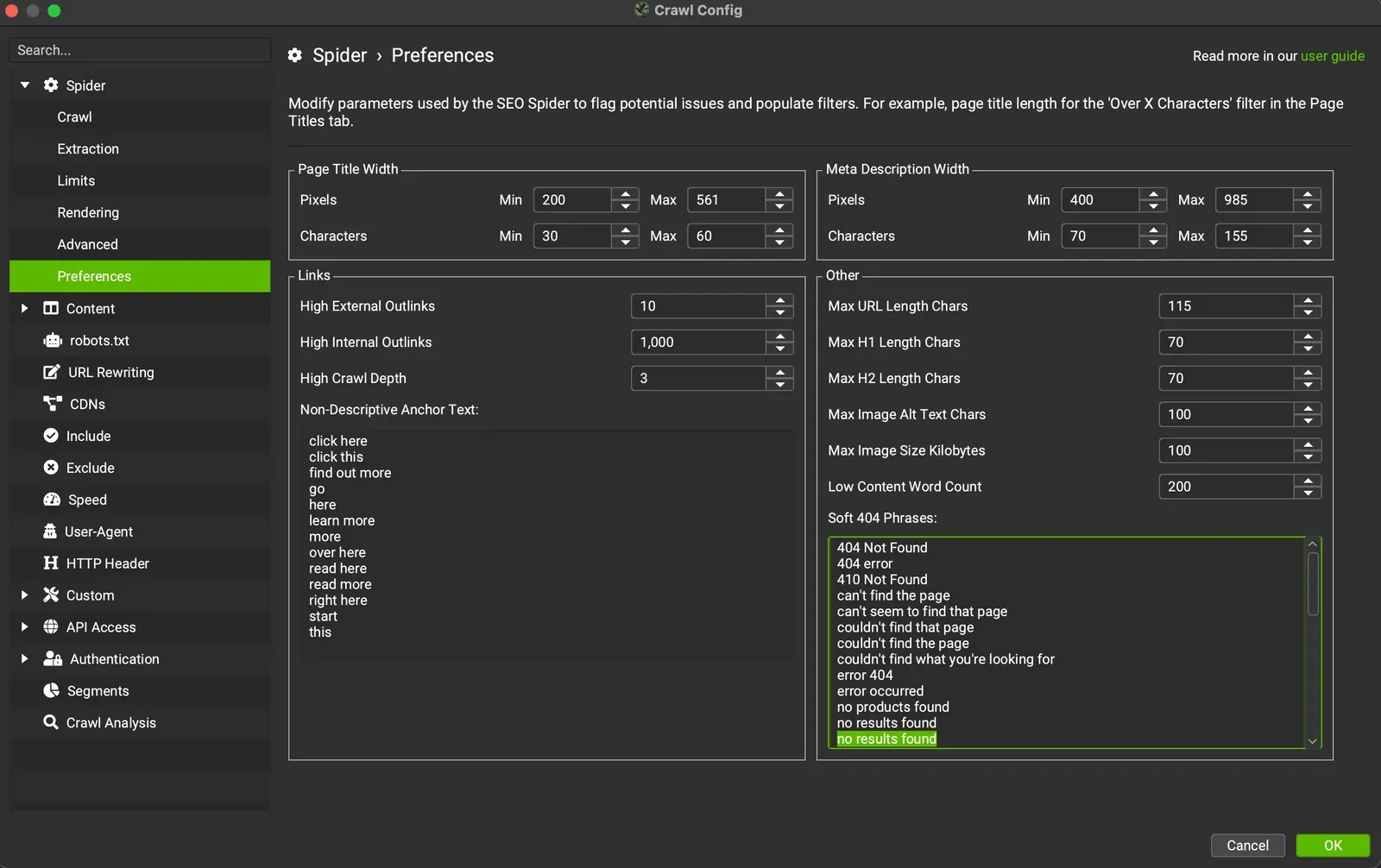
Questions about What is a Soft 404?
These guides come from real projects. If something in your crawl doesn’t add up, or you want to apply this process to your site, get in touch.
 Author.Raffaele Visintin.Search & Strategic Marketing Advisor